Automate your video podcast editing. And everything after the cut.
A free guide to one system that cuts every episode to whoever is talking, then builds the social clips, show notes and graphics. On brand every time, and you approve every step.
Free. The download appears right here, and we’ll send you occasional Doza news. Unsubscribe anytime. Privacy
15 pages, 3.3 MB. Tip: drag it into Claude Code or Codex and say “Set up my Mac with this guide.”
- Video podcasts
- Interviews
- Panels
- Talk shows
- Roundtables
- Webinars
- Fireside chats
- Q&As
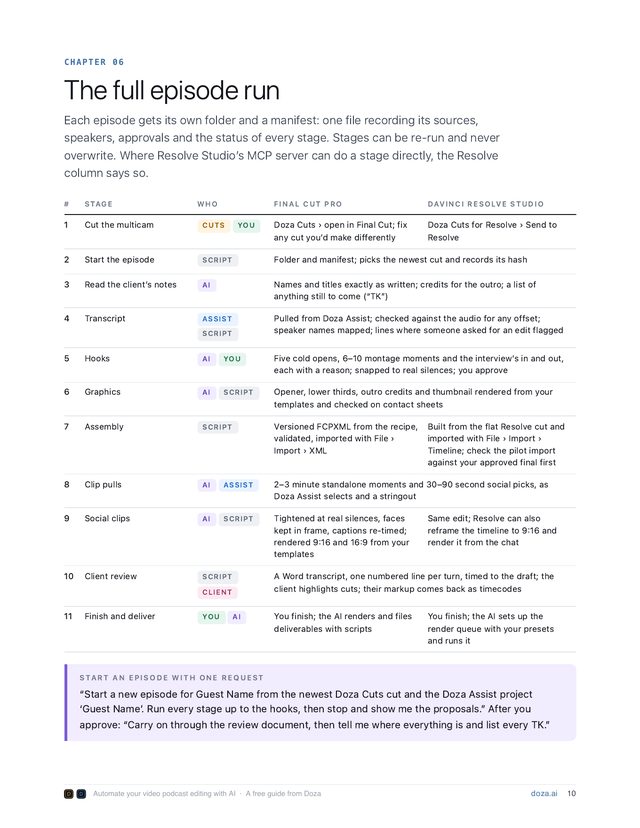
01Every episode, the whole package
- The full episodeCut to whoever is talking, with your open and close.
- Social clipsThe best moments, in 9:16 and 16:9.
- Show notesDescription and chapters, ready to post.
- GraphicsOpener, lower thirds, credits and thumbnail.
- TranscriptWith speaker names.
- Client reviewA transcript doc your client marks up.
- Final rendersEvery deliverable, named and filed.
- TemplatesYour brand, built once, used every episode.
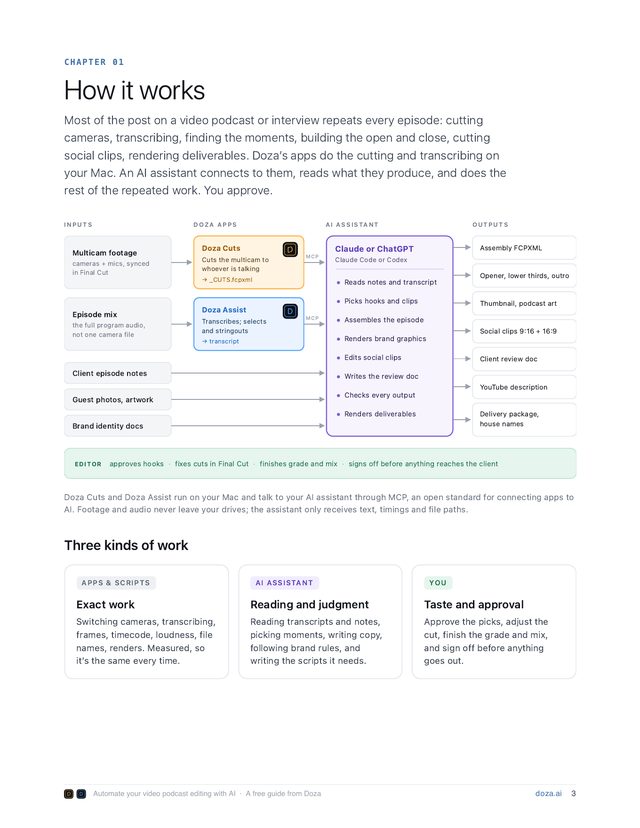
02How it works
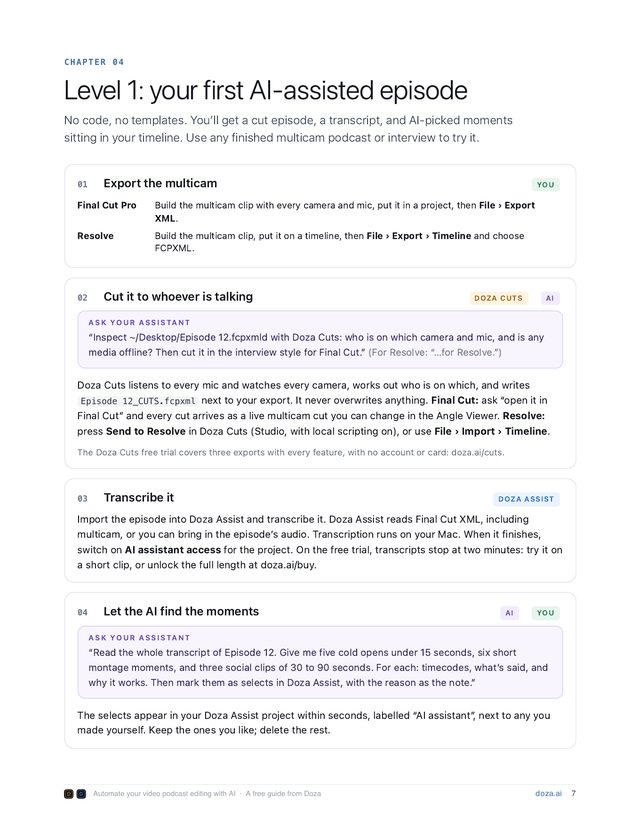
- 1 · YouExport the episodeExport the multicam from Final Cut Pro or DaVinci Resolve as an XML file.
- 2 · DozaDoza does the editDoza Cuts cuts to whoever is talking. Doza Assist transcribes it and finds the best moments. All on your Mac.
- 3 · Your AIYour AI does the packagingClaude or ChatGPT builds the clips, show notes and graphics from your templates. You approve each one.
Start in an afternoon with no code. Build your show kit once, and every episode after runs the same way, on brand.
03What you need
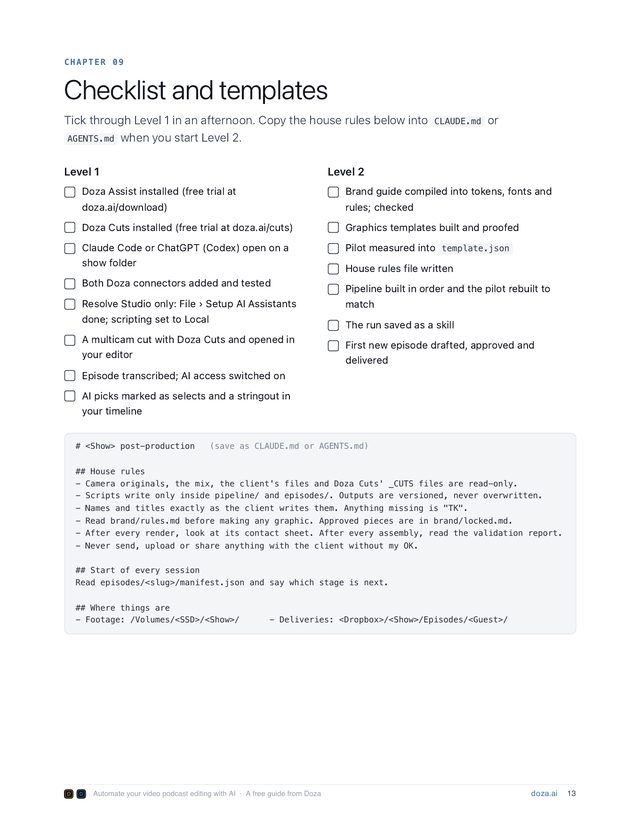
- A Mac with Apple silicon (M1 or later), macOS 15 and 16 GB of memory
- Final Cut Pro or DaVinci Resolve
- Doza Cuts and Doza Assist, both with free trials
- Claude or ChatGPT, on a paid plan
Your AI installs the rest. Drag the PDF into Claude Code or Codex and say “Set up my Mac with this guide.”
04Questions
Is the guide free?
Yes. Doza Assist and Doza Cuts have free trials. The AI needs a paid Claude or ChatGPT plan.
Do I need to code?
No. The basic setup needs no code. If you go further, your AI writes any scripts and you check each one.
Final Cut Pro or Resolve? Claude or ChatGPT?
Any mix works, and the guide shows each one. In Resolve Studio 21.1 the AI can also work inside Resolve.
Does my footage leave my Mac?
No. Video and audio stay on your Mac. Claude or ChatGPT see only text, like transcripts and cut details, from the projects you switch on.
Will it post or send anything without me?
No. Every step waits for your OK. Nothing is posted, sent or delivered until you sign off.
A free guide for Final Cut Pro and DaVinci Resolve editors.
Free trials of Doza Assist and Doza Cuts, no account, no card · Requires a Mac with Apple Silicon (M1 or later)