AI transcription for Premiere Pro.
Premiere can already turn a sequence into text. Doza Assist runs the pass that comes before the timeline: transcribe every file on your Mac with speakers labeled, find the story across all of it, pull your selects — and import the finished stringout into Premiere as an XML, markers and notes in place.
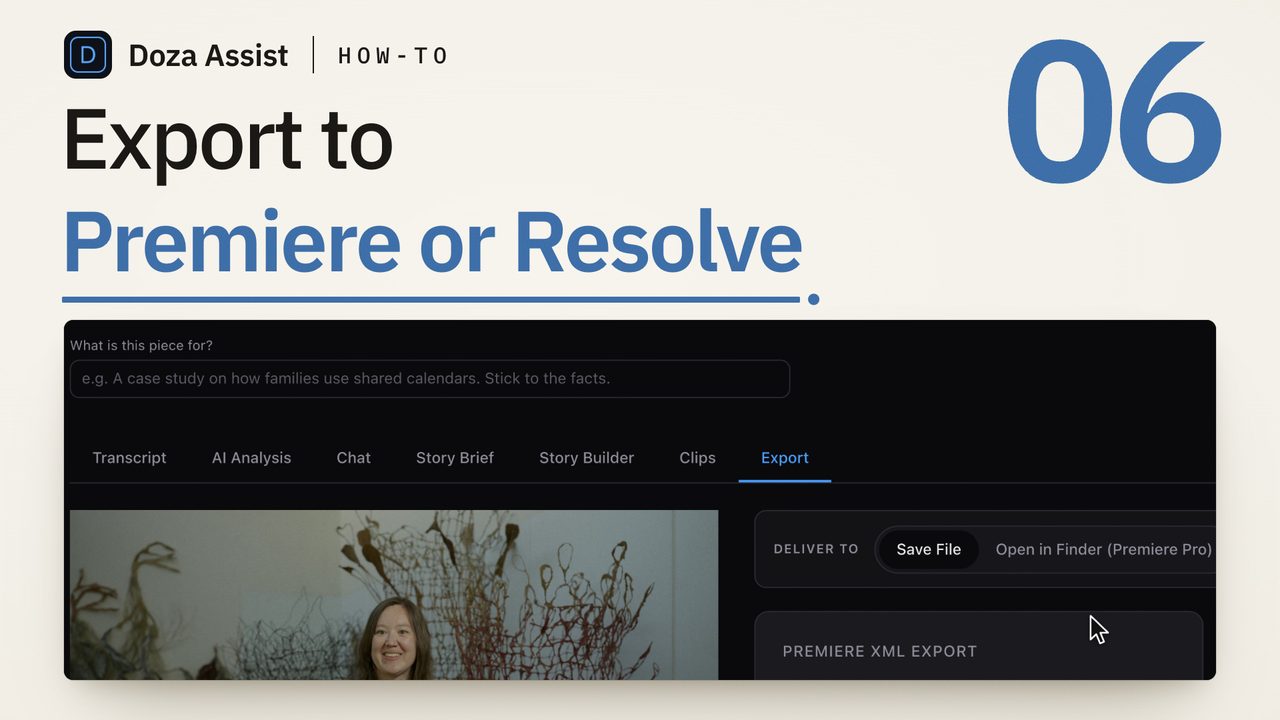
Doza Assist is a local AI story-editing companion for Premiere Pro editors. It transcribes unlimited footage offline in about 100 auto-detected languages with speakers identified, analyzes story structure across your whole set of interviews, finds the strongest soundbites, and exports your selects as a sequence Premiere imports directly — a standard XML with your markers and notes, media relinking from its original location. One-time $199 license, nothing uploads.
01How the workflow runs beside Premiere Pro
Premiere's Text panel is built for captioning and searching a sequence you've already assembled. The slow part of interview-driven work happens earlier — twenty hours of raw footage, and somewhere in it, the cut. That's the pass Doza Assist runs:
- Drop in your camera files. The same media your Premiere project uses — MOV, MP4, MXF, MPEG-TS and the rest — straight from the drive. Files stay exactly where they are: nothing is copied, converted, or re-transcoded, which is also what lets the export relink cleanly later.
- Transcribe everything locally. The engine runs on your Mac's Apple Silicon — an English fast path plus Whisper large-v3 for about 100 auto-detected languages. Unlimited hours, offline, no per-minute meter.
- Speakers, labeled. On-device Speaker ID separates who said what, with the voice models bundled inside the app. It works with the network cable unplugged.
- Find the story across the whole corpus. This is the part no captioning tool does: story analysis reads across every interview at once, surfaces the narrative beats, and finds the strongest soundbites. Search every word, ask in plain language, pull selects with the 5-color highlighter, tighten each to the exact word with word-level trim.
- Import the stringout into Premiere. Export writes a standard XML in the dialect Premiere reads natively. File → Import, drop it in your project, and the selects sequence is on your timeline — clip names, markers, and your notes attached, media relinked from its original paths.
Keep using it — the two do different jobs. Premiere's transcription is the fast route to captions and text search inside a sequence. Doza Assist is the editorial pass before that sequence exists: cross-interview story analysis, soundbites, a selects workflow, and a stringout you import instead of building by hand. They meet in the middle of your timeline.
02An honest word about the hand-off
Doza Assist delivers to Premiere as a file, on purpose. There's no plugin to install, no panel running inside Premiere, and no automation pretending to drive it — you get a clean, standard XML that Premiere has imported reliably for a decade, and your media relinks because Doza never moved it. For newsroom workflows there's a quiet bonus: broadcast MPEG-TS files that other tools choke on are handled natively on both sides of the hand-off.
One direction to know about: the trip is footage-first, not project-first. Doza Assist works from your camera files; it doesn't read a Premiere project export (Premiere's XML export is a different format from the FCPXML that timeline import uses). Start your transcription pass from the media, and end it with a sequence in Premiere.
03How is this different from cloud transcription services?
The subscription route uploads your footage, meters it by the minute, and holds your transcripts for as long as you keep paying. Doza Assist runs the entire pipeline on the Mac that already holds the media.
| Doza Assist | Typical cloud service | |
|---|---|---|
| Where footage is processed | On your Mac, offline | Uploaded to vendor servers |
| Pricing | $199 one-time, unlimited hours | Per-minute meter or subscription |
| Speaker ID | On-device, models bundled | Cloud-processed |
| Story analysis & soundbites | Built in, local | Rare; transcript only |
| Selects sequence into Premiere | XML with markers & notes | Often transcript export only |
| Broadcast MXF / MPEG-TS sources | Handled natively | Often need conversion first |
| Works with no internet | Fully offline | No |
04Frequently asked by Premiere editors
Doesn't Premiere Pro already transcribe?
It does — and for captions and in-sequence text search, use it. Doza Assist covers what a captioning tool doesn't: transcription and speaker labeling across your entire raw footage set before anything is cut, story analysis that reads all of it at once, soundbites, a 5-color selects workflow with word-level trim, and a stringout sequence delivered into Premiere so you start editing from selects instead of from raw clips.
How does the sequence get into Premiere, exactly?
Doza Assist saves a standard XML in the format Premiere imports natively and reveals it for you. In Premiere: File → Import, select the file, done — the selects sequence appears with clip names, color-coded markers, and your notes. Media relinks from its original location, because Doza read your files in place and never moved them.
Can I import my Premiere project or sequence into Doza Assist?
No — the trip is one-way by design. Premiere's project export is a different XML format from the FCPXML that Doza's timeline import reads, so the workflow starts from your camera files rather than from a Premiere sequence. In practice that's the natural order anyway: the transcription pass happens on raw footage, before the timeline exists.
What formats can I drop in?
The formats interview work actually arrives in: MOV, MP4, MXF, MKV, MPEG-TS (including the mislabeled .mp4 files newsroom systems hand out), WAV, MP3, FLAC, and more. Files are read in place with no re-transcode.
My interviews aren't in English. Covered?
Yes — transcription auto-detects about 100 languages and runs fully offline. AI writing (summaries, soundbites, story analysis) can come back in any of 30 output languages, set per project.
Is there really no subscription?
Really. $199 one-time includes the first year of updates; after that, updates are an optional $49/yr and the app keeps working forever either way. There's a free trial — every feature on the first 2 minutes of each file — and a 30-day money-back guarantee.
Doza Assist — unlimited local transcription, Speaker ID, story analysis, word-level trim, and a stringout sequence delivered into Premiere Pro.
Free trial: every feature on your first 2 minutes — no account, no card · 30-day money-back guarantee · Requires a Mac with Apple Silicon (M1 or later)