
Doza Assist for Testimonial Videos.
One 45-minute customer interview has to become a two-minute case study film, a pair of 30-second cutdowns, and a page of quotes the copy team can lift. Doza Assist gets you from raw sit-down to approved selects on your own Mac — the interview never touches a server.
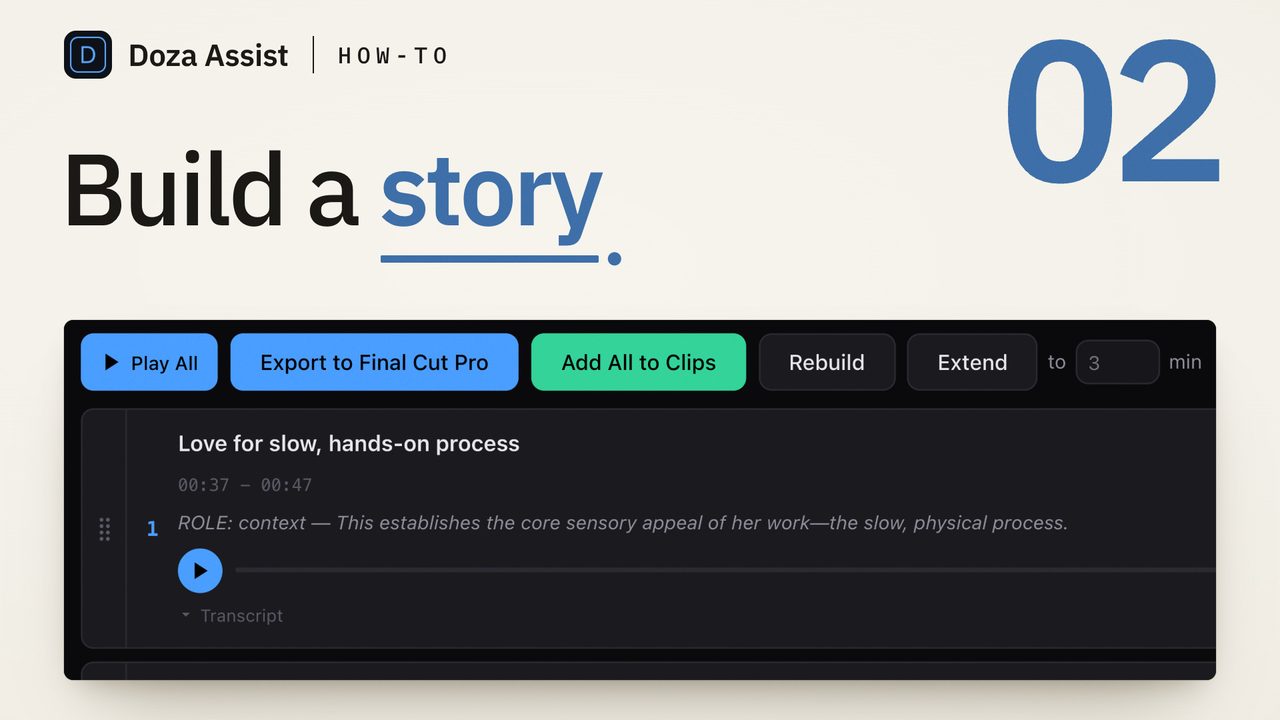
Doza Assist is local-first customer testimonial video editing software. It transcribes case study interviews offline at word-level accuracy, finds the strongest before/after story, exports pull quotes as PDF or Word, and sends your cuts to Final Cut Pro, Premiere Pro, or DaVinci Resolve — for a one-time $199 license. Nothing uploads anywhere.
01How do you turn one customer interview into a full case study package?
A testimonial shoot is a single conversation that has to pay off in four or five deliverables. The bottleneck was never the shooting — it's scrubbing the sit-down for the eight sentences that actually sell. Doza Assist does the scrubbing pass with you:
- Bring in the sit-down. Camera files or your existing project. The transcript comes back word-level and fully local, with the interviewer and the customer separated and labeled — so you're never quoting your own producer by accident.
- Find the arc. Ask in plain language: "find the strongest before/after arc." Soundbites surface the pain the customer had, the switch, and the payoff — including the moment they volunteer an actual number.
- Verify what they said. Click any word to jump to that frame. Word-level trim tightens each bite to the clean in and out, so the quote on screen is exactly the quote on record.
- Hand off a Quote Sheet. One click turns your selects into a clean, formatted pull-quote document as PDF or Word. The copywriter gets the customer's language for the web page without ever opening a video app.
- Export the cuts. The two-minute film and the 30-second cutdowns go out as sequences — straight onto a Final Cut Pro timeline, into Premiere Pro as XML, or over to DaVinci Resolve, with clips, ranges, and notes in place.
02Why shouldn't customer interviews go through a cloud tool?
Think about what customers actually say on camera: the revenue lift, the product that hasn't launched, the internal problem your client's tool fixed. Most of that footage is shot under an NDA, and the release the customer signed probably doesn't mention a transcription vendor in another jurisdiction. Push it through a cloud service and you've added a third-party processor you may now owe a disclosure — or a difficult phone call.
Doza Assist removes the question instead of managing it. Transcription, speaker labeling, analysis, and chat all run on your Mac, and the app works with WiFi off. There is no vendor copy of the interview because there is no vendor. When a client's legal team asks where the footage went, the answer is one sentence: it never left the edit machine.
My Style keeps per-brand, per-client profiles, so the first pass for the enterprise software client doesn't read like the first pass for the sneaker brand. Each profile learns that client's editorial voice from the work you approve. And licensing is per editor — one $199 license covers every client on your roster, not a seat fee per brand.
03How does this compare to cloud testimonial platforms?
Cloud testimonial platforms want to own the whole pipeline — capture, hosting, editing, publishing — with your customer's footage on their servers and your access tied to a subscription. Doza Assist takes one job, the hardest one, and does it on hardware you already own.
| Doza Assist | Cloud testimonial platform | |
|---|---|---|
| Where customer footage lives | Your Mac only | Vendor servers |
| Third party to disclose under NDA | None | The platform itself |
| Pricing | $199 one-time per editor | Recurring subscription |
| Quote sheet for the copy team | PDF or Word export | Varies; often in-platform only |
| Finishing | FCP timeline, Premiere XML, Resolve | Built-in web editor |
| Matches each brand's voice | Per-client My Style profiles | Generic output |
| Works offline | Fully | No |
If your deliverable is a widget of customer clips embedded on a landing page, a platform may earn its keep. If your deliverable is a film a real editor finishes in a real NLE, Doza Assist is built for exactly that handoff.
04Frequently asked by testimonial and case study producers
Can I use it on interviews covered by an NDA?
Yes — that's the point of the architecture. Transcription, speaker ID, analysis, and chat all run locally on your Mac, and nothing uploads to any server (the one exception is a Studio share link, which you choose to publish and which carries compressed audio, transcript, analysis, clips and documents, never the video). Unless you publish a share link, there is no third-party processor to name in a disclosure.
How do I verify quotes for legal or brand approval?
The transcript is word-level: click any word and the player jumps to that exact frame, so an approver can check the customer's phrasing against the footage in seconds. Word-level trim keeps each select honest to what was actually said, and the Quote Sheet gives legal a document to mark up.
We shoot several interviews per case study program. Can it keep up?
Yes. Batch processing queues a stack of interviews and transcribes, analyzes, and pre-selects them unattended. Collections then group a whole program — every customer in a campaign — into one collection, so you can pull a common thread across all of them at once.
Does the marketing team need the app to see the quotes?
No. The Quote Sheet exports as a formatted PDF or Word document, so copywriters, account leads, and client stakeholders review pull quotes in tools they already have. The app stays on the editor's machine; only standard files go out.
Doza Assist — offline transcription, Speaker ID, soundbites, Quote Sheets, per-client My Style, and NLE round-trip, all on your Mac.
Free trial: every feature on your first 2 minutes — no account, no card · 30-day money-back guarantee · Requires a Mac with Apple Silicon (M1 or later)