
Doza Assist for Social Clipping Teams.
Let's be direct: if you want captions burned in, an auto-reframed 9:16, and a post button, use an auto-clipper — that is their job, and they do it. Doza Assist is for the other lane: editors and agencies who watched auto-clipper output and decided their clients deserve better. It runs the clip-finding pass on your Mac — hours of long-form in, moments out — and you craft the actual clip in Final Cut Pro, Premiere Pro, or DaVinci Resolve.
Doza Assist is a local-first AI clip-selection tool for editors who finish social clips in a real NLE. It transcribes long-form video on your Mac, finds clip candidates in hours of footage, keeps a My Style profile per client, and lands selects — with markers and notes — in Final Cut Pro, Premiere Pro, or DaVinci Resolve. $199 one-time. Client footage never uploads.
01How does the clip-finding pass work on a two-hour episode?
Clipping work lives or dies on the pass nobody bills for: watching the whole thing to figure out where the clips are. Doza Assist compresses that pass without taking the craft away from you:
- Drop in the client's long-form. A two-hour podcast episode, a stream VOD, a recorded interview. One file or the week's stack from every client, queued at once.
- Transcript and speakers, locally. Every voice in the conversation gets labeled, so "the guest's rant at 1:14" is a search away instead of a scrub away.
- Ask for candidates like you'd brief a junior editor. Selects-aware chat takes real production language: "12 clip candidates under 60 seconds with a hook in the first line." Answers come back timecoded, and the chat remembers which candidates you've already pulled and can critique the set.
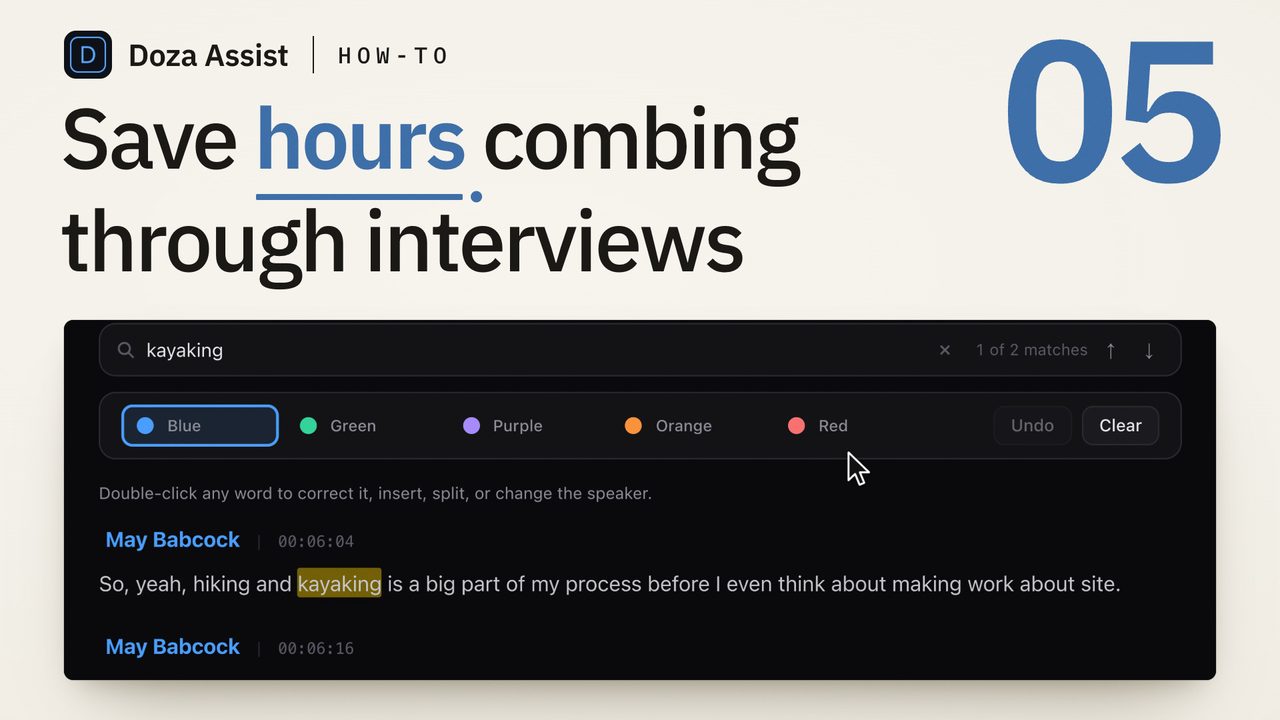
- Sort by lane with the 5-color highlighter. Hooks in one color, stories in another, hot takes, evergreen — a single read of the transcript triages the whole episode into your content calendar.
- Trim to the syllable, then export. Word-level trim tightens each candidate before it ever touches a timeline, and the selects arrive in your NLE carrying their markers and notes. From there it's your edit.
02Why run clip selection on your own machine?
Because at agency volume, cloud clipping math turns against you. Per-upload and per-minute pricing looks harmless on one show; multiply it by six clients posting weekly and it becomes a cost you have to pass through or eat. Doza Assist is $199 per editor, flat. Ten clients or two, a 40-minute interview or a 4-hour stream — the license doesn't care, because your Mac is doing the work.
The second reason is quieter but matters more to agencies: the footage. Clients hand you unlisted episodes, pre-launch announcements, internal recordings they want mined for one safe clip. Pushing that material through a third-party clipping service is a conversation you'd rather not have. With Doza Assist there is no third party — transcription, clip-finding, and chat all run on-device, offline if you want, which makes the confidentiality clause in your client agreements easy to keep.
My Style holds a separate profile for every client, so the finding pass for the finance podcast doesn't sound like the finding pass for the comedy channel. Each profile learns what that client considers a keeper, and the first pass drifts toward their taste, not a house average. Batch the week's uploads overnight and start Monday with every client's episode already triaged — in that client's voice.
03How is this different from an auto-clipper?
It's a different lane, and pretending otherwise would waste your time. Auto-clippers own the finish: captions, reframing, templates, scheduling. Doza Assist owns the find: which sixty seconds, out of seven thousand, deserve an editor's attention. If your clients are happy with templated output, you don't need this page. If they're paying you precisely because they're not, this is the half of the job Doza does.
| Doza Assist | Typical auto-clipper | |
|---|---|---|
| Where footage is processed | On your Mac, offline | Uploaded to vendor servers |
| Pricing at agency volume | $199 flat, per editor | Per upload, per minute, or per tier |
| What you get back | Candidates + selects in your NLE | Finished templated verticals |
| Captions & 9:16 reframing | No — your NLE and caption tool finish | Yes, automated |
| Editorial control of the cut | Total — you cut every frame | Template-bound |
| Per-client voice | My Style profile per client | Same engine for everyone |
| Confidential client footage | Never leaves the machine | Sits on vendor servers |
Note the captions row — that's a genuine no, not false modesty. Doza Assist finds and delivers; your finishing stack makes it vertical and captioned.
04Frequently asked by clipping teams
Does it output finished vertical clips?
No. Doza Assist produces candidates and NLE-ready selects — not rendered 9:16 files, not burned captions, not scheduled posts. It feeds your timeline; your timeline and caption tool produce the deliverable. Teams that want finished clips from a single upload should use an auto-clipper instead.
So why use this instead of an auto-clipper?
Control. An auto-clipper decides the in-point, the framing, and the pacing for you; Doza Assist hands you a shortlist and gets out of the way. If your value to clients is editorial judgment — the extra beat before the punchline, the setup line the algorithm would have cut — this keeps that judgment in the loop while removing the hours of watching that precede it.
Our clients' footage is under NDA. Where does it go?
Nowhere. Processing is 100% local by default and works with the network off — there's no vendor sub-processor to disclose and no server copy to worry about. (An optional bring-your-own Claude or OpenAI API key exists for specific tasks, but it's off by default and entirely your call.)
How does pricing hold up at volume?
It's flat. $199 per editor buys unlimited local processing — no meter tied to upload count, runtime, or client count — with the first year of updates included and an optional $49/yr for updates after that. There's a 30-day money-back guarantee.
Can one editor keep six clients' styles from bleeding together?
That's what per-client My Style profiles are for: each client's profile learns independently, so Story Builder and Chat pick with that brand's sensibility. Collections keep each client's episodes grouped, letting you search a client's whole back catalog for a callback or a recurring theme without touching another client's library.
Doza Assist — local transcription, clip candidates, per-client My Style, word-level trim, batch queue, and selects into FCP, Premiere, or Resolve.
Free trial: every feature on your first 2 minutes — no account, no card · 30-day money-back guarantee · Requires a Mac with Apple Silicon (M1 or later)