AI transcription for DaVinci Resolve.
Doza Assist transcribes your footage on your Mac — unlimited hours, speakers labeled, no Studio license required — lets you build the cut from the transcript, and delivers a timeline into Resolve. Nothing uploads, ever.
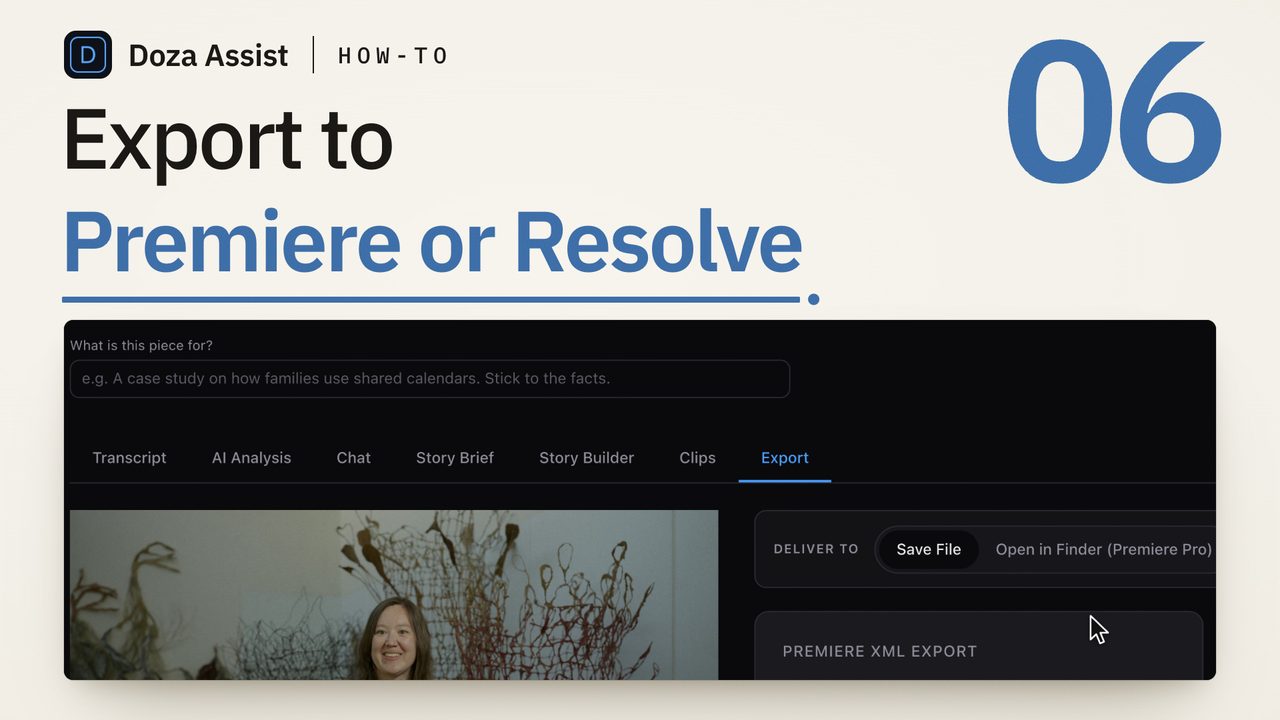
Doza Assist is a local AI transcription and story-editing companion for DaVinci Resolve — the free edition included. It transcribes offline in about 100 auto-detected languages with speakers identified, finds the strongest moments, and exports your selects as a timeline for Resolve — with automatic Media Pool import on Resolve Studio, and a ten-second File → Import on Resolve free. One-time $199 license, unlimited hours.
01How do you get AI transcription in DaVinci Resolve?
Resolve's built-in audio transcription lives behind the Studio license, and the cloud services meter you by the minute. Doza Assist is the third route: a one-time app beside Resolve that runs the whole transcript pass on your own machine, whichever Resolve edition you cut in:
- Bring in your footage. Drop camera files straight in — or, for a project you've already organized, export an FCPXML from Resolve (versions 1.8 through 1.11 are read directly, including Resolve's own connected-clip and nested-clip shapes). Media stays in place: nothing is copied, converted, or re-transcoded.
- Transcribe everything locally. The engine runs on your Mac's Apple Silicon — an English fast path plus Whisper large-v3 for about 100 auto-detected languages. No upload, no credits, no per-minute bill, no Studio upgrade.
- Speakers, labeled. On-device Speaker ID separates who said what, with the voice models bundled inside the app. It works with the network cable unplugged.
- Edit from the transcript. Search every word, ask in plain language ("the strongest answer about the merger"), pull selects with the 5-color highlighter, and tighten each one to the exact word with word-level trim.
- Deliver to Resolve. Export your selects as a stringout timeline. On Resolve Studio with scripting enabled, Doza Assist imports it for you — media into the Media Pool, timeline loaded and switched to. On Resolve free, it saves the file and shows you the two-click import (File → Import → Timeline). Prefer an EDL? A CMX 3600 export is one menu away.
02Built to speak Resolve's dialect
Resolve reads FCPXML, but it reads its own dialect of it — which is why generic exports from other tools so often come in silent or empty. Doza Assist detects whether a file came from Resolve or Final Cut and handles each producer's quirks: Resolve's older 1.8–1.9 exports, its connected-clip wrapper shape, and its nested-clip variant all parse correctly, and exports bound for Resolve are written by a Resolve-specific FCPXML path — chosen over the old FCP7 XML route precisely because FCP7 XML timelines imported into Resolve with unmapped audio.
Delivery is version-aware, too: if Resolve is already running, that instance is used; if not, your newest install is launched — so a machine with Resolve 20 and 21 side by side does the right thing without asking.
Automatic import uses Resolve's local scripting interface (a Mac IPC mechanism — no network involved), which Resolve 20 restricts to Studio. So: Studio gets hands-free delivery once External Scripting is set to Local in Resolve's preferences; Resolve free gets a saved timeline file and a File → Import → Timeline that takes about ten seconds. Doza Assist detects which edition you run and shows the right path — it never pretends to an integration it can't deliver. Multicam round-trips are always delivered as a file, because Resolve's scripted import doesn't handle them reliably.
03How is this different from Resolve Studio's transcription or a cloud service?
| Doza Assist | Resolve Studio built-in | Cloud service | |
|---|---|---|---|
| Works with Resolve free | Yes | Studio only | Yes |
| Where footage is processed | On your Mac, offline | On your machine | Uploaded to vendor servers |
| Pricing | $199 one-time | Paid Studio license | Per-minute meter or subscription |
| Speaker ID | On-device, bundled | Limited | Varies |
| Story analysis & soundbites | Built in, local | No — transcript only | Rare |
| Selects sequence from the transcript | Yes — stringout timeline out | Text-based trims in place | Often export-only |
| Also exports to FCP & Premiere | Yes | — | Varies |
If you already own Studio, the two are complementary: Resolve's transcription is good for captions and in-timeline text edits; Doza Assist is built for the pass before that — finding the story across hours of interviews and arriving in Resolve with a stringout instead of raw footage.
04Frequently asked by Resolve editors
Does the free version of DaVinci Resolve have AI transcription?
No — Resolve's built-in audio transcription is a Studio feature. Doza Assist gives free-edition editors the same capability and more, locally: unlimited transcription with speaker labels, transcript search, story analysis, and a selects timeline delivered back to Resolve, for a one-time $199 instead of a Studio license plus your time.
How does the timeline actually get into Resolve?
Two ways. On Resolve Studio 18+ with External Scripting set to Local, Doza Assist drives Resolve's own scripting interface: your media lands in the Media Pool, the timeline imports, and Resolve switches to it. On Resolve free — or if scripting is off — the app saves the timeline file, reveals it, and shows the import steps: File → Import → Timeline, done in seconds. Multicam round-trips always use the file route.
Can it read a project I've already organized in Resolve?
Yes. Export an FCPXML from Resolve and drop it in — versions 1.8 through 1.11, the ones Resolve writes, are parsed with Resolve's specific structures handled. Your source media is read from its original location, untouched.
Is there an EDL option?
Yes — alongside the default Resolve-tailored FCPXML there are opt-in CMX 3600 EDL and FCP7 XML exports, for conform-style workflows or older pipelines.
My footage isn't in English. Covered?
Yes — transcription auto-detects about 100 languages and runs fully offline. AI writing (summaries, soundbites, story analysis) can come back in any of 30 output languages, set per project.
Is there really no subscription?
Really. $199 one-time includes the first year of updates; after that, updates are an optional $49/yr and the app keeps working forever either way. There's a free trial — every feature on the first 2 minutes of each file — and a 30-day money-back guarantee.
Doza Assist — unlimited local transcription, Speaker ID, story analysis, word-level trim, and a stringout timeline delivered into DaVinci Resolve.
Free trial: every feature on your first 2 minutes — no account, no card · 30-day money-back guarantee · Requires a Mac with Apple Silicon (M1 or later)