
Doza Assist for Event & Webinar Teams.
Three keynotes, six breakout panels, a fireside chat — and the client wants a recap by Friday. Doza Assist chews through the whole day on your Mac, no upload, no per-minute bill, and hands the best moments to Final Cut Pro, Premiere Pro, or DaVinci Resolve.
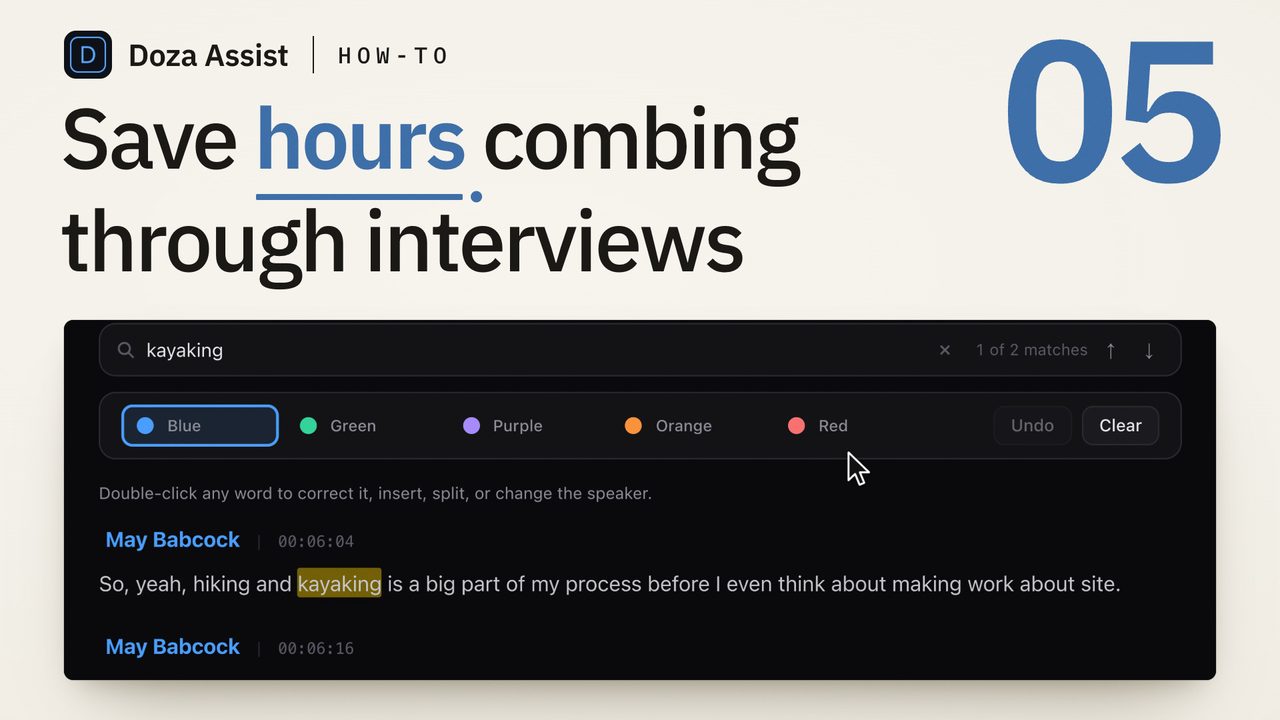
Doza Assist is a local-first AI editing assistant for repurposing webinars, conference sessions, and event recordings into clips. Multi-hour recordings transcribe on your Mac with speakers labeled, chat surfaces the best moments across every session, and selects export to your NLE. $199 one-time — no upload, no per-minute pricing.
01How do you get from a day of sessions to a recap cut?
Event work has a brutal ratio: eight hours of stage time, ninety seconds of sizzle. The bottleneck isn't the cutting — it's knowing where the ninety seconds live. Doza Assist front-loads that discovery so the edit starts with the answers:
- Load the day. Every session recording goes into the batch queue — keynotes, panels, breakouts. Kick it off when you leave the venue and let it run overnight, unattended, entirely on your machine.
- Wake up to labeled transcripts. Speaker ID separates panelists from moderators — and from each other — even when a Q&A turns into four people talking at once.
- Ask for the highlights. "Give me the best 10 moments across all sessions." "Summarize the CEO keynote." Chat answers with timecodes, and per-session summaries brief you on rooms you never set foot in.
- Cut the deliverables. The recap stringout and per-speaker pulls export to a Final Cut Pro timeline, a Premiere XML, or a send to Resolve — clips, markers, ranges, and notes already in place.
- Feed the content team. A Quote Sheet turns the day's best speaker soundbites into a clean PDF or Word doc for the blog post, the follow-up emails, the sponsor report.
02Why local processing wins on multi-hour recordings
Long recordings are exactly where cloud tools punish you twice. First the upload: a 3-hour keynote is a huge file, and a full conference day can be a whole drive — pushed over hotel WiFi before processing even begins. Then the meter: per-minute transcription pricing scales with runtime, and event footage is nothing but runtime. Doza Assist skips both. The files never move, so there is no upload window, and the license is flat, so hour nine of coverage costs the same as hour one: nothing.
The same math holds for anyone sitting on long recordings week after week — a university capturing every lecture, a church cutting weekly messages from full services, a sports team mining post-game pressers. Recurring long-form footage on a metered plan is a standing invoice. On a $199 license it's a solved problem.
A single conference feeds a sizzle recap, per-speaker clips for their socials, session summaries for the attendees who skipped that room, and quotable one-liners for the marketing push. A Collection treats the entire event as one searchable body — ask what every speaker said about pricing, or pull the thread that ran from the opening keynote to the closing panel.
03How does this compare to cloud webinar-repurposing tools?
Cloud repurposing platforms are built around an upload-and-meter model: your recording goes to their servers, processing is billed by the minute or the credit, and a busy event season means a bigger invoice. Doza Assist inverts that.
| Doza Assist | Typical cloud repurposing tool | |
|---|---|---|
| Where recordings are processed | On your Mac, offline | Uploaded to vendor servers |
| Cost of a 3-hour session | $0 beyond the license | Metered per minute or per credit |
| Upload time for a conference day | None — files never move | Hours, at venue-WiFi speeds |
| Pricing | $199 one-time | Monthly subscription plus usage |
| Panel crosstalk handling | Speaker ID labels every voice | Varies widely |
| Whole-event search | Collections span every session | Usually one recording at a time |
| Finish destination | FCP timeline, Premiere XML, Resolve | In-browser editor or file export |
Honest scoping: Doza Assist does not burn in captions or auto-reframe vertical clips. It finds the moments, assembles the selects, and lands them in your NLE — your timeline and your caption tool of choice finish the social versions. If your entire deliverable is captioned verticals straight to a feed, a cloud clipper may be the better fit.
04Frequently asked by event and webinar teams
How long does a 3-hour session take to transcribe?
It depends on your Mac — transcription runs locally, so faster Apple Silicon finishes sooner. What's guaranteed is that upload time is zero, because there is no upload, and the queue runs unattended, so a long session processes while you're striking the gear or asleep. 16GB of unified memory is the tested minimum.
Can it handle an entire multi-day conference?
Yes. Batch processing queues every session and works through the stack unattended, and Collections group the whole event into one project so you can search and pull moments across all of it at once — not one recording at a time.
Panelists constantly talk over each other. Does speaker labeling survive that?
Speaker ID is built for exactly that: it separates and labels every voice, including crosstalk and noisy panels. Moderator interruptions and overlapping answers come back attributed to the right person, so per-speaker pulls don't need a manual untangling pass.
We do lecture capture — can it produce captions for accessibility?
It produces full word-level transcripts, and transcript text exports so you can hand it to your captioning workflow. It does not burn captions into video — pair it with your NLE or caption tool for the on-screen version.
Doza Assist — batch processing, Speaker ID, Collections, Quote Sheets, and NLE round-trip, running entirely on your Mac.
Free trial: every feature on your first 2 minutes — no account, no card · 30-day money-back guarantee · Requires a Mac with Apple Silicon (M1 or later)