Doza Assist for Broadcast Networks.
A network moves more recorded speech in a day than most production companies see in a year — field interviews, pressers, magazine sit-downs, promo pulls, archive — across bays that may not be allowed to reach the internet at all. Doza Assist gives every one of those bays its own transcription, speaker labeling, and story pass on the Mac in the room, with nothing sent anywhere and no meter counting hours.
Doza Assist is a local-first AI editing assistant for broadcast edit bays. It transcribes offline in about 100 languages with every speaker labeled, finds the moments that carry a segment, produces Quote Sheets and transcript documents, and sends selects to Final Cut Pro, Premiere Pro, or DaVinci Resolve. Licensed per editor at $199 one-time, unlimited hours, with no server in the loop — so it fits bays where material cannot leave the building.
01How does Doza Assist fit a network's edit workflow?
Doza Assist sits beside the NLE in each bay. It reads the standard files your ingest already produces and hands back standard sequences and documents, so nothing about the network's media pipeline has to change:
- Load the material in the bay. Field cards, feed records, MAM exports, FCPXML with multicam and sync clips — standard video and audio formats come straight in. Queue a stack of interviews for unattended, overnight transcription with Batch.
- Transcribe and label locally. Every voice separated and labeled, about 100 languages auto-detected, done on the bay's own Mac. No upload, no queue behind other customers, and it works on an air-gapped machine.
- Find the segment's moments. Ask across one interview or a whole Collection — every interview for the magazine piece, every presser from the week — and get timecoded answers with playable clips. Story Brief surfaces the narrative beats and flags what the segment is missing.
- Produce the paperwork. Transcripts, selects lists, and Quote Sheets export as Word, PDF, or Excel for producers, standards, and legal — standard files, no app needed to open them.
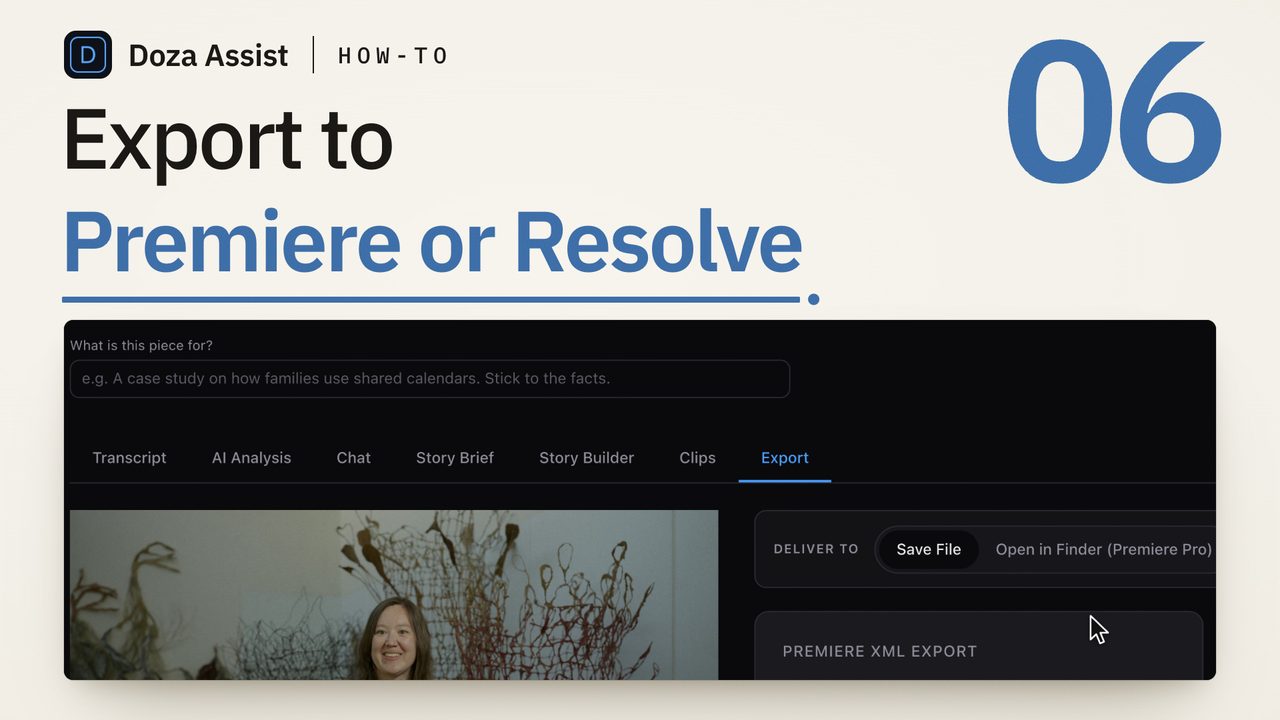
- Send selects to the timeline. A sequence to Final Cut Pro with multicam and sync clips preserved, an XML to Premiere Pro, or straight to DaVinci Resolve, with markers and notes in place.
02Why local processing matters at network scale
Cloud transcription at a network is a procurement problem before it is a workflow problem: a data-processing agreement, a retention policy someone else controls, a second copy of every unaired interview on a vendor's servers, and a per-minute or per-seat bill that scales with exactly the thing a network has the most of. For bays that are deliberately kept off the internet, it simply isn't an option.
Doza Assist removes the vendor instead of negotiating with one. Transcription, Speaker ID, analysis, and chat all run on the Mac in the bay, offline. There is no account holding the network's material, no egress to explain to security, and no meter — one license per editor, unlimited hours, for a one-time price. Standards and legal review what's on the machine, because that is the only place it exists.
Licensing is per editor, and the app is a signed, notarized Mac application that installs like any other, so a rollout is a per-bay install rather than an integration project. Output is standard XML, FCPXML, and Word/PDF/Excel documents, so bays on different NLEs work the same way. For network-wide or multi-site deployments, contact Doza Visuals about enterprise terms.
03How does it compare to a cloud transcription platform?
Networks typically evaluate cloud transcription as a platform: shared browser access, integration with the MAM, and a contract. Doza Assist is a different shape — a tool in each bay rather than a service above them.
| Doza Assist | Cloud transcription platform | |
|---|---|---|
| Where material is processed | On the bay's Mac, offline | Vendor servers |
| Air-gapped and restricted bays | Works with no network | Not possible |
| Copies held outside the network | None | Vendor copy, per contract |
| Billing | $199 one-time per editor, unlimited hours | Per-minute or per-seat, scales with volume |
| Procurement | Per-editor license; enterprise terms on request | DPA, security review, annual contract |
| NLE handoff | FCP (multicam preserved), Premiere XML, Resolve | Varies; often transcript-only |
| Shared browser access to transcripts | No — documents export instead | Yes |
If the requirement is a shared, browser-based transcript archive, a platform still earns its place. If the requirement is that every bay can transcribe, search, and cut without material leaving the building — and without a meter — that is what Doza Assist is built for.
04Frequently asked
Can it run in a bay with no internet access?
Yes. Transcription, Speaker ID, analysis, and chat all run on the Mac, and the app works with networking off. The only time it needs a connection is to download the app and its models the first time, and to check for updates.
How is it licensed for a department?
Per editor: each person cutting in Doza Assist needs their own license, $199 one-time with the first year of updates included. What they produce — sequences, XML, Word and PDF documents — travels freely to anyone. For multi-site or network-wide deployments, contact Doza Visuals about enterprise terms.
Does it read our Final Cut Pro multicam projects?
Yes. Doza Assist reads FCPXML from Final Cut Pro, including multicam and sync clips, and returns sequences that keep them intact. Premiere Pro receives an XML; DaVinci Resolve receives a timeline directly.
Does it replace our MAM?
No. It works alongside whatever manages your media — it reads standard video and audio files and hands back standard sequences and documents. Ingest, storage, and archive stay exactly as they are.
Our bureaus work in many languages. Is that supported?
Transcription covers about 100 languages, auto-detected, entirely offline, and AI summaries can be produced in any of 30 output languages, set per project.
Doza Assist — offline transcription, Speaker ID, Story Brief, Quote Sheets, Batch, and NLE round-trip, on the Mac in each edit bay.
Free trial: every feature on your first 2 minutes — no account, no card · 30-day money-back guarantee · Requires a Mac with Apple Silicon (M1 or later)