
Doza Assist for Wedding Filmmakers.
You know the secret of this craft: the film is hiding in the audio. The vows, the letters, the best man's toast, the quiet thing the couple said in their interview — that's the spine, and the visuals hang from it. Doza Assist transcribes the entire wedding day on your Mac and helps you find the lines that make the edit: the toast callback to the vows, the sentence from mom that belongs under the first dance.
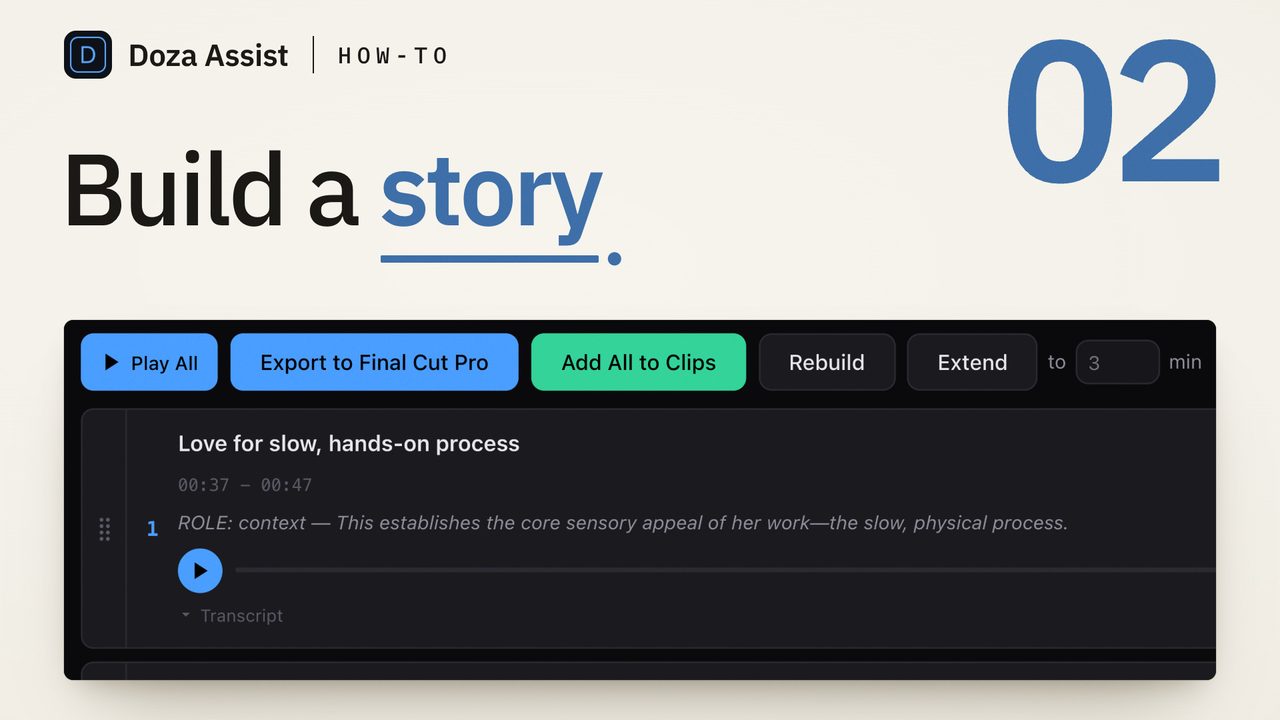
Doza Assist helps wedding filmmakers find the best moments in vows, toasts, speeches, and couple interviews. It transcribes the full wedding day on your Mac — offline, with nothing uploaded — labels every speaker, answers plain-language questions with timecodes, and sends your selects to Final Cut Pro, Premiere Pro, or DaVinci Resolve. $199 one-time.
01How does a wedding edit start in Doza Assist?
Instead of scrubbing card after card hunting for the line you half-remember from the reception, you start with the whole day written down:
- Bring in the full day. Ceremony multicam, reception cards, the couple's interview, the getting-ready letters. Doza reads FCPXML from Final Cut Pro — multicam and sync clips included — or takes the media files straight.
- Let it transcribe overnight. Everything processes locally on your Mac with speakers labeled: officiant, bride, groom, best man, father of the bride. The maid of honor's speech is now text you can search, not twenty minutes you have to re-watch.
- Interrogate the day. Ask in plain language and get timecoded answers: "every time someone references the couple's first date," "the strongest line from the dad's toast," "where does she laugh-cry?"
- Tag by deliverable. The 5-color highlighter splits the film's spine from social-teaser moments from the full-speech edit — one pass through the transcript plans the feature, the teaser, and the documentary edit at once.
- Send selects to your timeline. Word-level trim tightens each line to exactly the breath you want, then your selects land in Final Cut Pro, Premiere Pro, or DaVinci Resolve with markers and notes attached.
02Why should a couple's footage stay on your machine?
Wedding footage is about as personal as footage gets — private vows, a father's letter, family in the raw. Doza Assist processes all of it on your own Mac by default: transcription, speaker labeling, analysis, and chat run on-device and work with WiFi off. That's a promise you can make couples flatly, and put in your contract: their day is never handed to a cloud service to be searched.
There's a business case too, and it's a solo operator's case. Wedding work is seasonal; subscription software bills you in February like it's June. Doza Assist is a one-time $199 — first year of updates included, an optional $49/yr for updates afterward, and the app keeps working forever either way. One busy Saturday covers it, and it never bills you again during the slow months.
The moments that make couples cry are the echoes — the groom's vow about patience, and three hours later the best man's joke about the same thing. Collections treat the ceremony, the speeches, and the couple's interview as one connected body, so you can ask for every callback across the day and cut the vow and its echo back-to-back. That's the edit nobody can find by scrubbing.
03What does this change about the actual craft?
Nothing about your taste; everything about your hunting. The hard part of a wedding edit was never deciding that mom's line was the one — it was finding it again at 11pm across six hours of audio. With the day transcribed and speaker-labeled, structure work becomes reading and asking instead of scrubbing. You still choose the spine, the order, the restraint. Doza just makes every candidate line visible at once, each with its timecode, so the afternoon you used to spend logging becomes an afternoon of cutting.
And because the transcript is word-level, verification is instant: click any word and you're on that frame, hearing the delivery, judging whether the read matches the line. The lines that survive that check go to the timeline already trimmed.
04Frequently asked by wedding filmmakers
Can I tell couples their footage stays private?
Yes, and you can say it without hedging: by default nothing uploads — transcription, speaker labeling, and chat all run on your Mac, and the app works fully offline. Put it in your contract if you like. (There's an optional setting to connect your own Claude or OpenAI API key for certain tasks; it's off by default and stays your choice.)
Reception audio is rough. Will the transcript survive it?
Transcription quality follows audio quality — a lav on the best man reads far better than a room mic near the DJ booth. Honest advice: run it from your synced or cleaned audio, the same track you'd cut with. Where the recording is good, the transcript is word-level and clickable to the frame.
My ceremony is a multicam. Does that break anything?
No — Doza Assist reads FCPXML from Final Cut Pro, including multicam and sync clips, without flattening or re-transcoding, and sends sequences back to an FCP timeline. Premiere Pro gets an XML and Resolve has a direct send, so your existing sync workflow stays intact.
I'm a solo shooter-editor. Is this worth it for me?
It's priced for exactly you: $199 one-time — not a monthly seat that outlasts the season. If it doesn't earn its place inside your first few edits, there's a 30-day money-back guarantee. It requires an Apple Silicon Mac (M1 or later, 16GB minimum).
Doza Assist — local transcription, Speaker ID, timecoded chat, Collections across the whole day, word-level trim, and selects to FCP, Premiere, or Resolve.
Free trial: every feature on your first 2 minutes — no account, no card · 30-day money-back guarantee · Requires a Mac with Apple Silicon (M1 or later)