
Doza Assist for Oral History & Research.
Narrators trusted you with their memories, and your ethics board trusted you not to hand the recordings to a server farm. Doza Assist transcribes, labels, and analyzes an entire interview archive on your own Mac — the recordings never leave the machine.
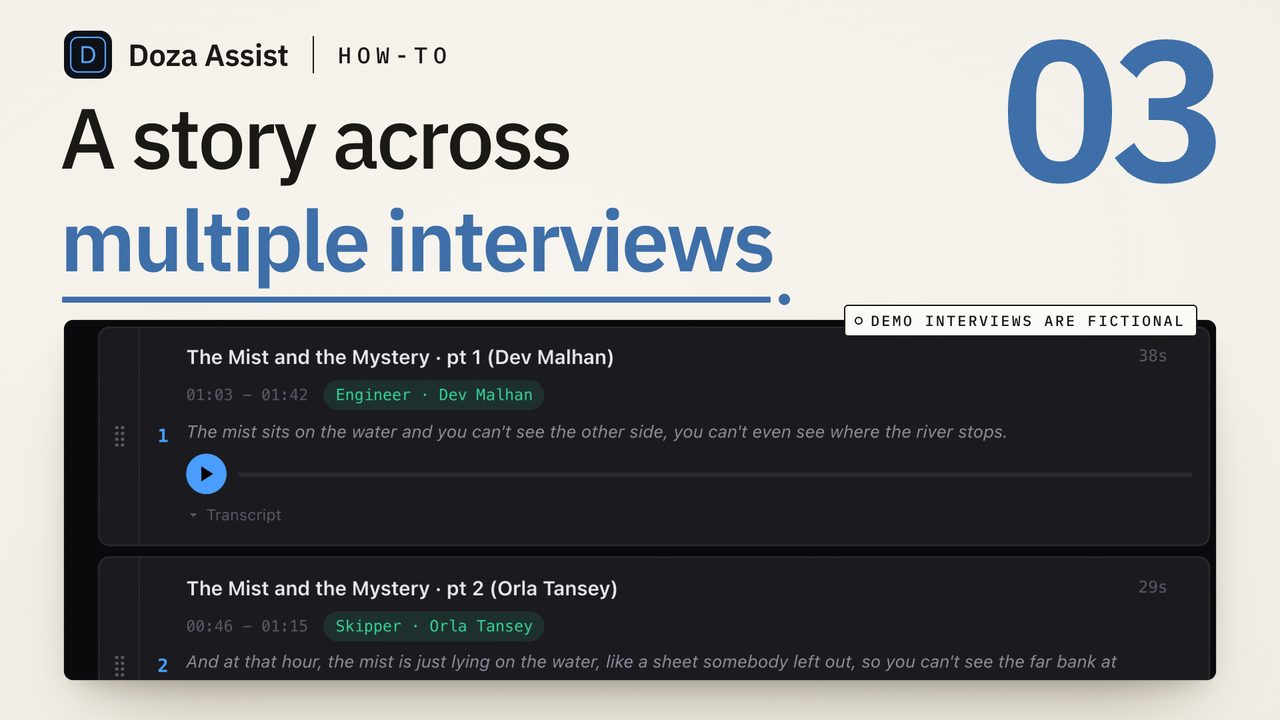
Doza Assist is oral history transcription software that runs entirely on-device — transcription in about 100 languages, speaker labeling, and a searchable interview archive, with no cloud processor in the loop. When consent forms or IRB protocols rule out third-party uploads, the architecture itself satisfies the requirement. $199 one-time, works offline in the field.
01How does an interview archive move through Doza Assist?
Whether it's a museum's narrator project, a dissertation's worth of ethnographic interviews, or a university media collection, the pipeline is the same — and every step of it happens on your machine:
- Bring in the recordings. Doza Assist reads standard video and audio files, so field recordings, digitized sit-downs, and camera originals all queue together. Batch processing works through the stack unattended.
- Transcribe on-device, in the narrator's language. about 100 languages, auto-detected, transcribed word by word with no connection required — a bilingual interview that switches mid-sentence is not a special case.
- Label who's speaking. Speaker ID distinguishes narrator from interviewer, so quotations attribute cleanly and the interviewer's prompts never contaminate a pulled passage.
- Code your themes. The 5-color highlighter supports thematic passes — mark migration stories in one color, labor history in another — and clicking any word jumps the video to that exact frame for verification against the tape.
- Interrogate the whole corpus. Ask across the collection in plain language — "every mention of the 1968 strike" — and get timecoded answers. Transcripts and Quote Sheets export to PDF or Word for the archive, and if the project becomes a film, selects export to Final Cut Pro, Premiere Pro, or DaVinci Resolve.
02Why does on-device processing matter for IRB and ethics review?
Most transcription services are, in legal terms, a third-party data processor: participant recordings transfer to their servers, under their terms, in their jurisdiction. If your consent language promises that recordings stay with the research team, that transfer is the problem — no vendor agreement fully un-rings the bell. Doza Assist removes the processor instead of papering over it. Transcription, speaker labeling, analysis, and chat all execute locally, and the app runs with the network off entirely. The claim "no third party ever touches the recording" becomes true by architecture, not by contract. Confirm the specifics with your own board, but it is a much shorter conversation.
The license model fits research life, too. A three-year longitudinal project on a subscription means budgeting a recurring vendor cost across funding cycles; Doza Assist is a single $199 line item, and the app keeps working after your grant ends. And because nothing depends on connectivity, it works in the field — a rural collecting trip or an overseas site with no reliable internet processes interviews the same night they're recorded.
Two hundred narrator interviews stop being two hundred separate files. Collections bind them into one searchable corpus — every account of the flood, every reference to the mill closing — and Story Brief reads across the whole collection to surface the through-lines an exhibition can hang on, and flag the perspectives the collection is still missing.
03How does this differ from cloud research repositories?
Cloud research and transcription platforms centralize your data to make it useful. For consented human-subjects recordings, that trade is often the one thing you cannot make. Doza Assist keeps the usefulness and drops the centralization.
| Doza Assist | Typical cloud repository | |
|---|---|---|
| Where recordings live | On your own machine only | Vendor servers |
| Third-party processor involved | None — no vendor in the loop | Yes, under a data agreement |
| Works offline in the field | Fully | No |
| Cost model | $199 one-time | Recurring subscription or per-minute |
| Languages transcribed | About 100, auto-detected | Varies by plan |
| Access after funding ends | App works forever | Ends with the subscription |
| Cross-collection analysis | Collections + Story Brief | Search within single files, typically |
One boundary worth stating plainly: Doza Assist is not qualitative data analysis software in the NVivo sense — there is no code book and no code-book export. Its instruments are the highlighter, cross-collection chat, and Collections, which many projects find covers the discovery and retrieval half of the work.
04Frequently asked by oral historians and researchers
Is Doza Assist IRB compliant?
IRB compliance attaches to your protocol, not to a product, so confirm with your board. What Doza Assist changes is the architecture: recordings are processed entirely on your own machine with no third-party processor involved unless you choose to publish a Studio share link, which directly addresses the clause that usually blocks cloud transcription services.
Our narrators speak regional dialects. How does transcription hold up?
Transcription covers about 100 languages with automatic detection, and it runs the same offline. Accuracy on strong dialects varies with the recording — audio quality matters most — so treat first-pass transcripts of difficult tape as a draft, and use click-to-frame verification to check any passage against the original.
Is this a replacement for NVivo or similar QDA software?
No — it's a different tool class. There's no code book and no code-book export. Doza Assist gives you on-device transcription, speaker labeling, a 5-color highlighter for thematic passes, and chat across the whole collection; formal qualitative coding still belongs to dedicated QDA software.
Can we buy this on a grant?
Yes. It's a one-time $199 purchase — a single software line item, not a recurring service — and checkout through Paddle issues a receipt your grants office can file. There's a 30-day money-back guarantee if it doesn't fit the project.
What happens to our archive in ten years?
Everything stays on machines you control: your recordings remain your files, transcripts and Quote Sheets export to open formats like PDF and Word, and the app keeps working forever whether or not you ever pay the optional $49/yr for updates after year one.
Doza Assist — on-device transcription, Speaker ID, the 5-color highlighter, Collections, Story Brief, and Quote Sheets. No processor between you and your narrators.
Free trial: every feature on your first 2 minutes — no account, no card · 30-day money-back guarantee · Requires a Mac with Apple Silicon (M1 or later)