Doza Assist for News Organizations.
One reporter keeping a source recording off the cloud is discipline. A newsroom where no interview can end up on a vendor's server is policy. Doza Assist makes the second one practical: every desk transcribes, labels, searches, and quotes on its own Mac, offline, with nothing to procure from a processor because there isn't one. For the reporter cutting the piece, see the journalists page; this page is about the organization.
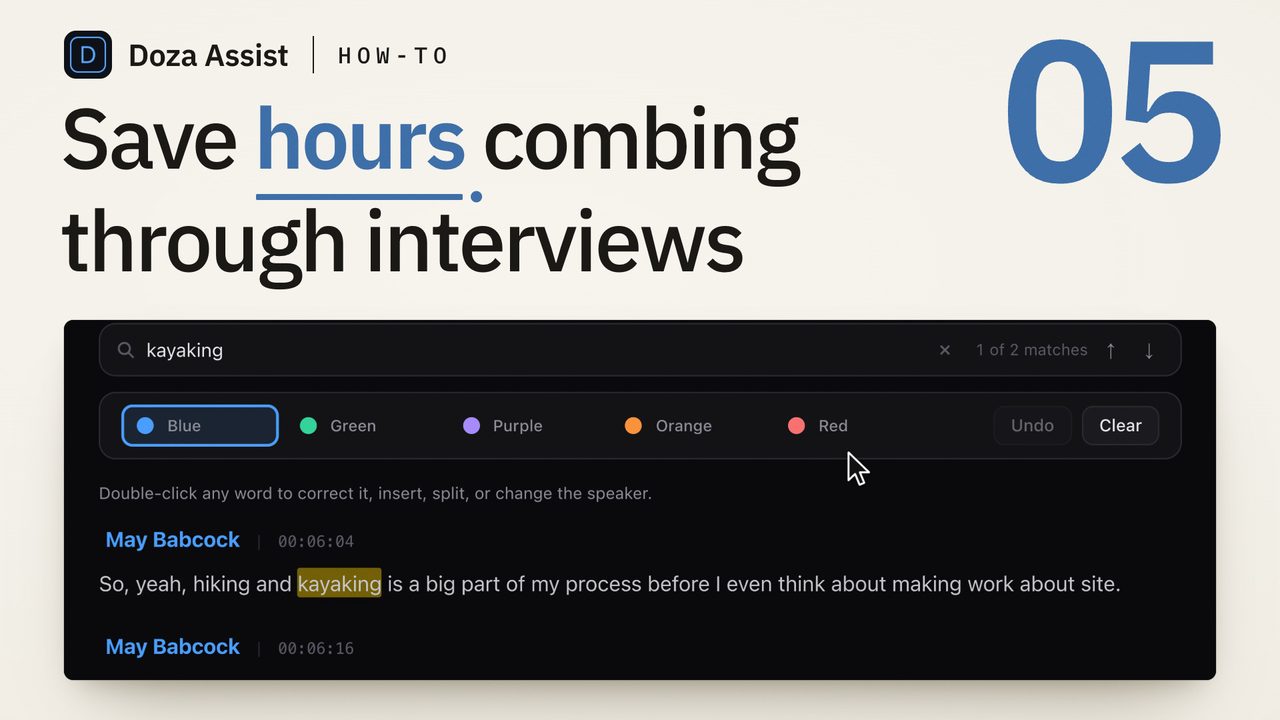
Doza Assist lets a news organization standardize on transcription that never leaves its own machines. Interviews and pressers are transcribed offline in about 100 languages with every speaker labeled, Quote Sheets go to the desk as PDF or Word, and cuts land in Final Cut Pro, Premiere Pro, or DaVinci Resolve. Licensed per editor at $199 one-time — no vendor account, no data-processing agreement, no per-seat renewal that scales with headcount.
01What does a newsroom-wide rollout look like?
Because the app runs entirely on each Mac and outputs standard files, adopting it across a newsroom is a per-desk install and a policy line, not an integration:
- Install per editor. A signed, notarized Mac app with a per-editor license. Each desk that cuts gets a license; producers and the assignment desk read the output without one.
- Set the policy. Interview and presser recordings are transcribed locally. There is no vendor to list in a privacy notice, no retention policy to inherit, and no processor to name in a DPA.
- Work the material. Speaker-labeled transcripts in minutes, plain-language search with timecoded answers, and a whole investigation's interviews grouped as a Collection so the team can ask across all of them.
- Feed the desk. Quote Sheets as PDF or Word, transcripts and selects as Word, PDF, or Excel — standard documents that editors, standards, and legal open without the app.
- Cut and air. Selects to Final Cut Pro, Premiere Pro XML, or DaVinci Resolve, with markers and notes where the reporter put them.
02Why remove the processor instead of managing one?
Every cloud transcription account a newsroom holds is a second copy of every interview fed into it — under the vendor's terms, the vendor's retention schedule, and the vendor's response to a subpoena or a breach. The organization can manage that risk with contracts and training, or it can decide the copy should never exist.
Doza Assist takes the second path. Transcription, Speaker ID, analysis, and chat all run on the reporter's Mac, and the app works with WiFi off. Source protection stops depending on which vendor a desk happened to sign up for. And the bill stops scaling with headcount and hours: one-time per editor, unlimited minutes, with the first year of updates included.
Air-gapped machines, leaked recordings under legal review, embargoed interviews — Doza Assist runs in all of them because it never needs a network connection to do its job. Group an investigation's interviews as a Collection and the team can search and quote across all of them on one machine that nothing leaves. What legal reviews is what's on that Mac, full stop.
03How does it compare to a newsroom transcription subscription?
Newsroom transcription suites are sold as seats on a platform. Doza Assist is a tool on each desk. The difference shows up in procurement, in exposure, and in the bill.
| Doza Assist | Newsroom transcription subscription | |
|---|---|---|
| Where interviews are processed | On each reporter's Mac, offline | Vendor servers |
| Copies held by a third party | None | Yes, per the vendor's retention policy |
| Data-processing agreement required | No processor to name | Yes |
| Billing | $199 one-time per editor, unlimited hours | Per-seat subscription, scales with headcount |
| Deadline exposure | No upload queue | Upload + processing wait |
| Quote Sheet for the desk | Formatted PDF or Word | Varies; often raw transcript export |
| Shared browser access to transcripts | No — documents export instead | Yes |
A subscription suite still fits a newsroom that needs shared browser access to a transcript archive. Doza Assist fits the newsroom that has decided its interviews should not be anyone else's data — and would rather not pay per seat, per year, for the privilege.
04Frequently asked
Can several reporters share one license?
Licensing is per editor: each person transcribing and cutting in Doza Assist needs their own $199 license. Everything they produce — Quote Sheets, transcripts, sequences, XML — is a standard file any colleague can open without the app.
Does IT need to approve it like a cloud service?
There is no service to approve. Doza Assist is a signed, notarized Mac app that runs offline; no account, no server, no data leaves the machine. Most IT reviews treat it like any other desktop application.
What about bureaus working in other languages?
Transcription covers about 100 languages, auto-detected, entirely offline. AI summaries and analysis can be produced in any of 30 output languages, set per project, so a bureau's summaries read in its own language.
Can an investigation team work across dozens of interviews?
Yes. Group them as a Collection and search, chat, and run Story Brief across every interview at once. Collections behave like a project — the same tabs, the same exports.
What happens to updates after the first year?
The license is perpetual and the app keeps working. The first year of updates is included; after that, updates are an optional $49 per year per license.
Doza Assist — offline transcription, Speaker ID, Collections, Quote Sheets, and NLE round-trip, on every desk's own Mac.
Free trial: every feature on your first 2 minutes — no account, no card · 30-day money-back guarantee · Requires a Mac with Apple Silicon (M1 or later)