Doza Assist for Post Production Facilities.
A facility's security policy is simple: client media does not leave the suite. That has meant transcription happens the slow way, or not at all. Doza Assist runs the whole pass — transcription, speaker labeling, search, stringouts — on the Mac in the suite, offline, so assistants can prep interview-heavy jobs the way the policy demands and hand editors a timeline instead of a pile.
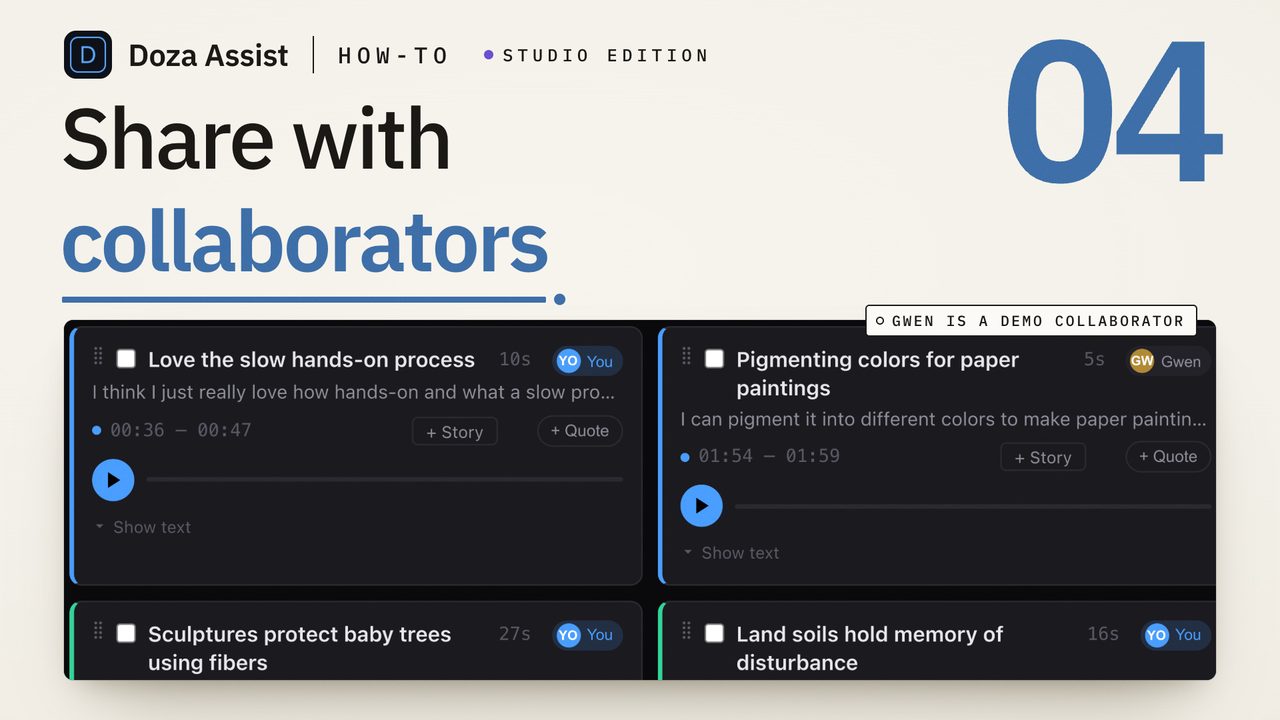
Doza Assist is a local-first AI editing assistant for post production facilities. It transcribes client interviews offline in about 100 languages with every speaker labeled, lets assistants build selects and stringouts from moments, and returns sequences to Final Cut Pro with multicam and sync clips preserved, XML to Premiere Pro, or a timeline straight to DaVinci Resolve. Licensed per editor at $199 one-time, unlimited hours, with no server in the loop.
01How does a facility use Doza Assist on an interview-heavy job?
The pass belongs to whoever preps the job — usually the assistant editor — and the output is a timeline the lead editor opens in the suite's NLE:
- Load the job in the suite. Camera originals, the FCP library with its multicam and sync clips, or the Premiere project's media — standard formats, straight in, on the suite's Mac. No upload, no transfer to a service.
- Transcribe and label overnight. Batch queues every interview for unattended transcription and Speaker ID. Book the suite's idle hours and the job is searchable in the morning.
- Build the stringout. Ask for the moments on any topic across the whole job, or use Story Brief to surface the beats. Selects are trimmed to the word and grouped into a stringout the editor can start from.
- Fix the transcript in place. Double-click to correct a name, split a paragraph, reassign a speaker — media timing never changes, so the corrected transcript is safe to deliver.
- Hand the editor a timeline. A sequence to Final Cut Pro with multicam and sync clips intact, an XML to Premiere Pro, or straight to DaVinci Resolve, markers and notes in place. Transcripts and selects lists export as Word, PDF, or Excel for the client.
02Why a facility can adopt it without changing its security posture
Cloud transcription and a strict media-handling policy don't coexist: the service needs the media, and the policy says the media stays put. Facilities have either carved out exceptions — with the paperwork and the client conversations that involves — or left transcription as manual labor.
Doza Assist doesn't need an exception, because it never needs the network. It is a signed, notarized Mac application that runs offline; transcription, Speaker ID, analysis, and chat all happen on the suite's machine, and the app works with networking turned off. The only thing that leaves the suite is what always did: the sequence, the documents, and the delivered cut.
Licensing is per editor, not per suite or per minute, so a facility can license the assistants who prep jobs and let every suite's lead editor open the results in their own NLE. There is no meter counting a facility's throughput and no annual renewal tied to seat count. For multi-suite or multi-site deployments, contact Doza Visuals about enterprise terms.
03How does it compare to cloud transcription for post?
Cloud transcription for post is built around uploading and shared browser review. That is exactly what a facility's policy usually rules out.
| Doza Assist | Cloud transcription service | |
|---|---|---|
| Where client media is processed | On the suite's Mac, offline | Vendor servers |
| Fits a no-upload media policy | Yes, without exceptions | Requires a policy exception |
| Copies held outside the facility | None | Vendor copy, per contract |
| Multicam and sync clips from FCP | Read and preserved in the returned sequence | Rarely |
| Unattended overnight processing | Batch, on the suite's idle hours | Upload queue |
| Billing | $199 one-time per editor, unlimited hours | Per-minute or per-seat subscription |
| Client deliverables | Transcripts, selects, Quote Sheets as Word/PDF/Excel | Varies |
A cloud service still fits a job where the client wants to review transcripts in a browser and has approved the upload. For everything else a facility handles — which is most of it — the local pass keeps the policy intact and the assistants productive.
04Frequently asked
Does it run on a suite with no internet?
Yes. After the app and its models are installed, Doza Assist runs fully offline. Transcription, Speaker ID, analysis, and chat never need a connection.
Will it preserve our FCP multicam and sync clips?
Yes. Doza Assist reads FCPXML from Final Cut Pro, including multicam and sync clips, and returns sequences that keep them intact. Premiere Pro receives an XML and DaVinci Resolve a timeline directly, including the free edition of Resolve.
Can assistants prep a job overnight?
Batch queues a stack of interviews for unattended transcription, labeling, and selects. Load the job at wrap and it is searchable and analyzed when the suite opens.
How is it licensed across suites?
Per editor, $199 one-time each, with the first year of updates included. Sequences, XML, and documents are standard files that any suite opens without a license. For multi-suite or multi-site deployments, contact Doza Visuals about enterprise terms.
What does the client receive?
Whatever you choose to deliver: transcripts, selects lists, and Quote Sheets as Word, PDF, or Excel, plus the cut itself. Nothing is generated or stored anywhere but the suite.
Doza Assist — offline transcription, Speaker ID, Batch, stringouts, and NLE round-trip with multicam intact, on each suite's own Mac.
Free trial: every feature on your first 2 minutes — no account, no card · 30-day money-back guarantee · Requires a Mac with Apple Silicon (M1 or later)