
Doza Assist for Podcast Producers.
You finish in a real NLE, not a browser. The problem is the two-and-a-half hours of conversation between you and this week's cut — and the monthly bill for every tool that promises to shorten it. Doza Assist listens to the whole episode on your Mac, finds the moments worth keeping, and drops your selects onto a Final Cut Pro, Premiere Pro, or DaVinci Resolve timeline.
Doza Assist brings AI podcast editing to Final Cut Pro, Premiere Pro, and DaVinci Resolve. It transcribes episodes on your Mac — multicam video or audio-only — labels every voice on the panel, surfaces the best moments in a long episode, and exports your selects to a real timeline. $199 one-time, no subscription, nothing uploads.
01What does an episode look like inside Doza Assist?
From raw recording to a timeline full of keepers, without leaving your machine:
- Bring the episode in. A three-angle multicam video pod, a remote-recording video file, or a plain audio track — one episode or a backlog of them, queued for batch processing.
- Transcribe locally, voices separated. Speaker ID keeps the host, the co-host, and the guest who talks over both of them cleanly apart — a four-mic roundtable comes back as a readable script, not a wall of text.
- Ask for the moments. Highlights surface the exchanges worth clipping, and selects-aware chat works like a story producer who heard the whole show: "cut this down to 45 minutes," "find the best exchange about pricing," "what's the cold open?" Answers come back timecoded, and the chat tracks what you've already pulled.
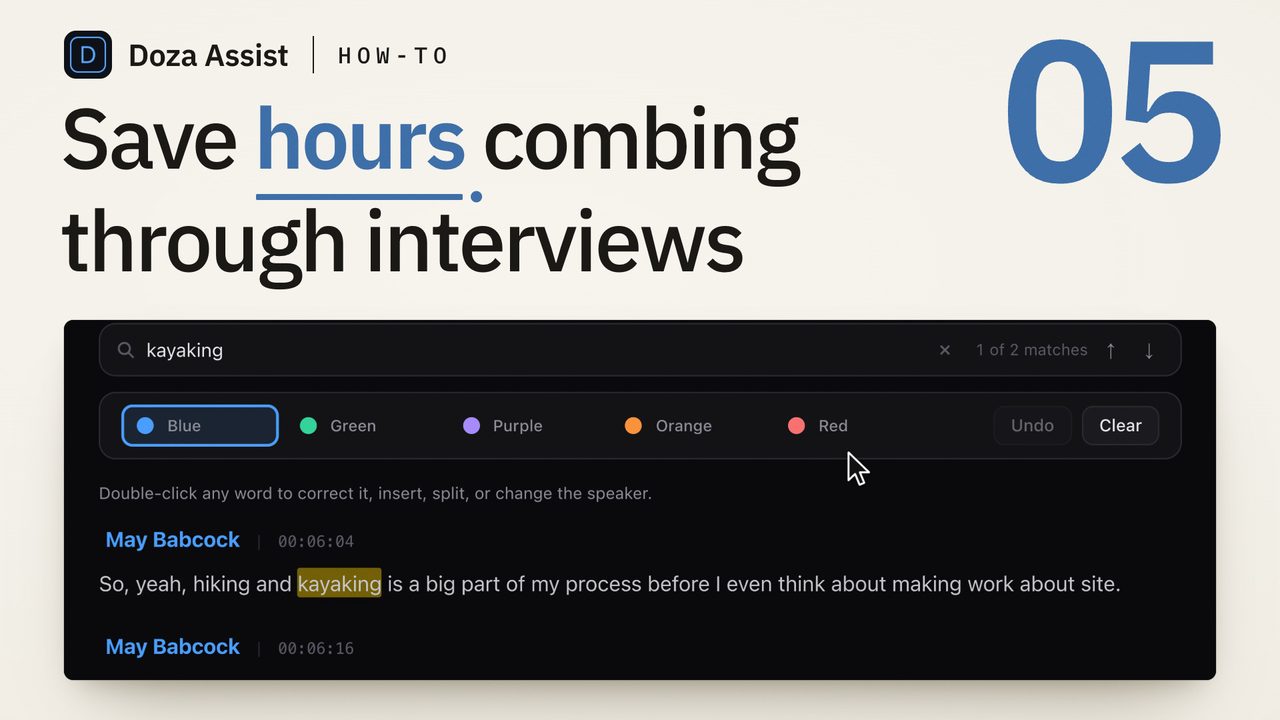
- Tag by destination. The 5-color highlighter splits cold-open candidates from episode-cut keepers from clip material — one pass through the transcript sorts the whole show.
- Export to your timeline. Selects land on a Final Cut Pro timeline, in a Premiere Pro XML, or in Resolve — markers, ranges, and notes intact — and you finish the way you always have.
02Why local, when every other podcast tool is a subscription?
Count the monthly line items a show already carries: hosting, remote recording, the music library, the caption tool. Every cloud AI editor adds one more — priced per seat, metered by the minute, and gone the month you stop paying. Doza Assist is $199 once. The first year of updates is included, updates after that are an optional $49/yr, and the app keeps working forever either way.
Local processing is also what makes long episodes cheap. A two-hour weekly show is over 100 hours of tape a year; on a per-minute meter that's a real invoice, and on a home connection the uploads alone eat your edit day. On your own Mac there is no meter and no upload — episode 300 costs exactly what episode 1 did.
A Collection groups a season — or the entire back catalog — into one project and reads across every episode at once. Trace a running bit to the episode where it started, pull every appearance by a recurring guest, or build the anniversary best-of from actual moments instead of memory. The show stops being 80 separate files and becomes one searchable body of tape.
03How is this different from cloud clippers and auto-editors?
Cloud clippers and the AutoPod class of tools solve a different problem: they take your upload and hand back finished output — captioned verticals, auto-switched multicam cuts — inside their own ecosystem. Doza Assist assumes the opposite: you own the finish, and what you need is the finding.
| Doza Assist | Cloud clipper / auto-editor | |
|---|---|---|
| Where the episode is processed | On your Mac, offline | Uploaded to vendor servers |
| Pricing | $199 one-time | Monthly subscription, often per seat |
| A 3-hour episode costs | Nothing extra — no meter | More minutes, more credits |
| Output | Selects on your NLE timeline | Finished clips in their player |
| Multicam awareness | Reads multicam and sync clips from FCPXML | Usually flattened media only |
| Season-wide analysis | Collections across every episode | One file at a time |
| Learns your show's voice | My Style profiles | Generic output |
| Works with no internet | Fully offline | No |
Honest scoping: Doza Assist does not burn captions and does not reframe clips vertical. It finds the moments, tightens them to the word, and hands them to your timeline — pair it with the caption tool you already like for social versions. If you'd rather never open an NLE at all, a cloud clipper is the better fit.
04Frequently asked by podcast producers
My show is audio-only. Is this video-people software?
It works either way. Feed it an audio file or a video file — transcription, Speaker ID, moments, chat, and the highlighter behave the same. Video pods additionally get the multicam-aware NLE round-trip.
Our episodes run three hours. Is that a problem?
No — there's no per-minute meter, so length changes nothing about cost. Processing runs on your Mac, so a longer episode simply takes longer to chew through; queue it with batch processing and let it run while you do something else.
Can it post the clips to TikTok and Shorts for me?
No, and it doesn't pretend to. Doza Assist has no publishing, captioning, or vertical reframing — it finds and delivers the moments to your NLE, where you (or your caption tool) make the social versions. If one-click publishing is the whole job, you want a different tool.
I edit several shows for different clients. Does it keep them straight?
Yes. My Style keeps a separate profile per show or per client, so each first pass matches that show's sensibility rather than a blended average — and Collections keep each show's episodes grouped as their own searchable body.
One-time price — seriously?
Seriously. $199 buys the license and the first year of updates. After year one, updates are an optional $49/yr, the app runs forever regardless, and there's a 30-day money-back guarantee.
Doza Assist — local transcription, Speaker ID for panels, moments, selects-aware chat, Collections, and NLE round-trip.
Free trial: every feature on your first 2 minutes — no account, no card · 30-day money-back guarantee · Requires a Mac with Apple Silicon (M1 or later)