Doza Assist for Creative Agencies.
Four clients, four brand voices, and every one of them handed you footage under an NDA. Doza Assist transcribes it all on the agency's own Macs, keeps a separate My Style profile for each client so the first pass on the bank's film doesn't feel like the first pass on the sneaker brand's, and gives the copy team the quotes they need without anyone opening an editing app.
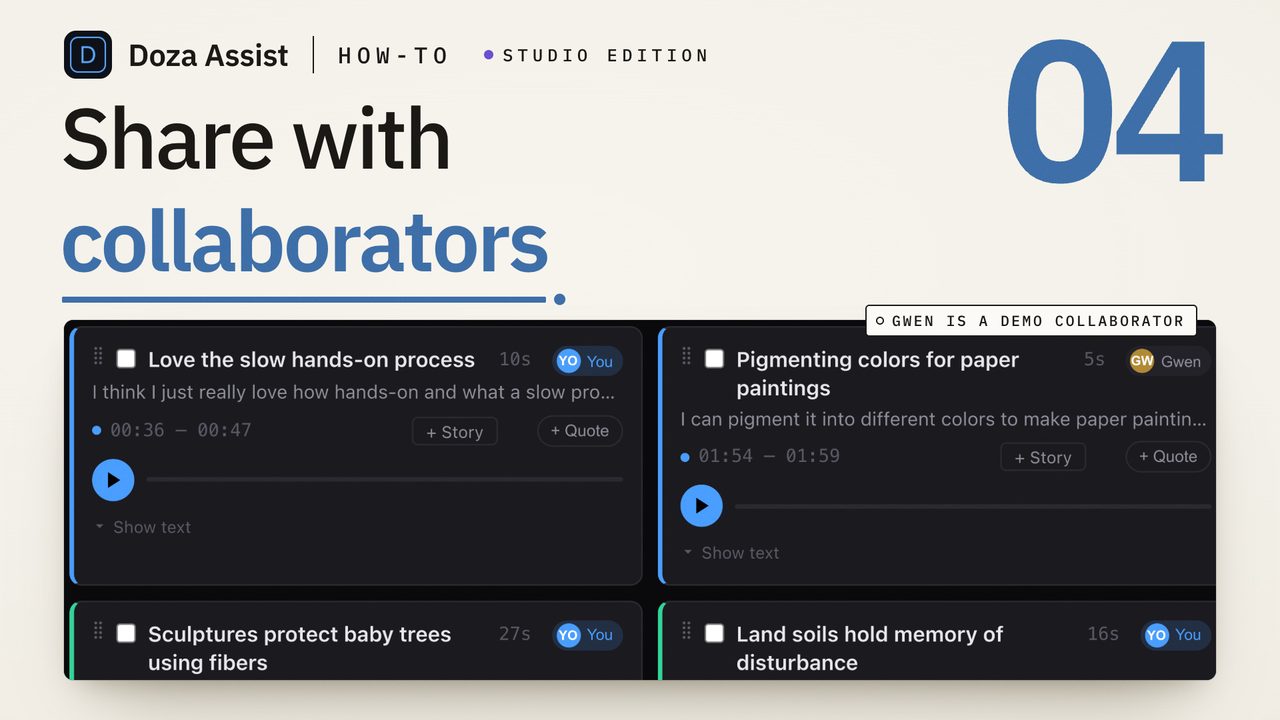
Doza Assist is a local-first AI editing assistant for agencies that cut interview-driven work. Brand films, case studies, docu-style spots, and founder stories are transcribed offline with every speaker labeled; My Style learns a separate editorial voice per client; selects, Story Brief, and Quote Sheets feed creative and copy; and the cut goes to Final Cut Pro, Premiere Pro, or DaVinci Resolve. $199 one-time per editor. Client footage never uploads.
01How does an agency project move through Doza Assist?
From the shoot drive landing on the edit Mac to the creative director's first review, the pass is the same for a 90-second case study or a ten-minute brand documentary:
- Load the client's footage. Interviews, b-roll with sync sound, the whole shoot — standard formats, straight in. Queue several clients' shoots with Batch and let them transcribe overnight.
- Pick the client's My Style profile. My Style learns how each client's finished work is built — where the hook lands, how testimony is ordered, when to cut to product — from their past films. Each client gets its own profile, so the moments Story Builder and Chat pick lean toward their taste, not a house average.
- Get the creative director a Story Brief. Story Brief reads every interview and surfaces the narrative beats, the strongest lines, and what's missing — a document the CD reads before the first cut exists.
- Hand copy the quotes. Quote Sheet turns the interviews into a formatted pull-quote document as PDF or Word for the copy team, the account lead, and the client's approval round.
- Cut in your NLE. Selects go to a Final Cut Pro timeline, a Premiere Pro XML, or straight to DaVinci Resolve, markers and notes intact.
02Why per-client style profiles change the first pass
Agencies don't have one editorial voice; they have one per client, and the fastest way to lose a review is to bring the wrong one. My Style holds a separate profile for each account. Drop in the finished films you've cut for that client and Doza Assist maps how those stories are built — cold open or context first, how many voices before the turn, what the close does — and applies it to every new project for that client.
That matters most in the first pass, where the moments and the Story Brief set the direction. A fintech client's profile favors the precise, restrained lines; a lifestyle brand's profile favors the warm ones. The team starts each project already in the client's register, and the same engine runs both without either client's footage leaving the building.
Unreleased product, pre-announcement founder interviews, customer footage under a release — agency work is confidential by default, and most client MSAs say so. Doza Assist never uploads a frame: transcription, analysis, and chat run on the edit Mac, offline. There is no sub-processor to disclose, and the footage stays exactly where the client's contract says it should.
03How does it compare to cloud AI editing tools?
Cloud editing tools promise a rough cut from a browser. They also require uploading client footage, charge per seat or per minute, and apply one house style to every account.
| Doza Assist | Cloud AI editing tool | |
|---|---|---|
| Where client footage is processed | On the agency's Mac, offline | Vendor servers |
| Sub-processor to disclose under the MSA | None | Yes |
| Editorial voice | Separate My Style profile per client | One model for everyone |
| Where the cut is finished | Your NLE — FCP, Premiere, Resolve | In the browser, then export |
| Deliverables for copy and account | Quote Sheets, transcripts, selects as Word/PDF/Excel | Varies |
| Billing | $199 one-time per editor, unlimited hours | Per-seat or per-minute subscription |
| Multicam and sync clips from FCP | Read and preserved | Rarely |
Cloud tools suit teams that finish in a browser and don't hold footage under NDA. Agencies that finish in a real NLE, answer to a client's contract, and cut for more than one voice get more from the local pass.
04Frequently asked
Can we keep clients' work separated?
Yes. Each client can have its own My Style profile and its own projects or Collections. Nothing about one client's footage or style influences another's pass unless you choose to apply the same profile.
Can we run several clients' shoots at once?
Batch queues a stack of interviews for unattended transcription, labeling, and selects. Load the week's shoots on Friday and start Monday with each client's material searchable and analyzed.
Does the account team need the app to read the output?
No. Quote Sheets, transcripts, and selects export as Word, PDF, or Excel — standard files for account leads, copy, and the client's approval round. Sequences and XML go to whoever is cutting.
Which editing apps does it hand off to?
A sequence to Final Cut Pro, with multicam and sync clips preserved; an XML to Premiere Pro; a timeline straight to DaVinci Resolve. The pass happens before the timeline, so the finishing tools stay exactly as they are.
How is it licensed for a studio with several editors?
Per editor, $199 one-time each, with the first year of updates included. Producers, copywriters, and account leads read the documents without a license.
Doza Assist — offline transcription, Speaker ID, per-client My Style, Story Brief, Quote Sheets, and NLE round-trip, on the agency's own Macs.
Free trial: every feature on your first 2 minutes — no account, no card · 30-day money-back guarantee · Requires a Mac with Apple Silicon (M1 or later)