How to fix speaker labels in an interview transcript.
Speaker identification gets most of a two-person interview right and goes wrong in predictable places. Here is where it breaks, how to fix a transcript fast without touching the timing, and how to record so it breaks less.
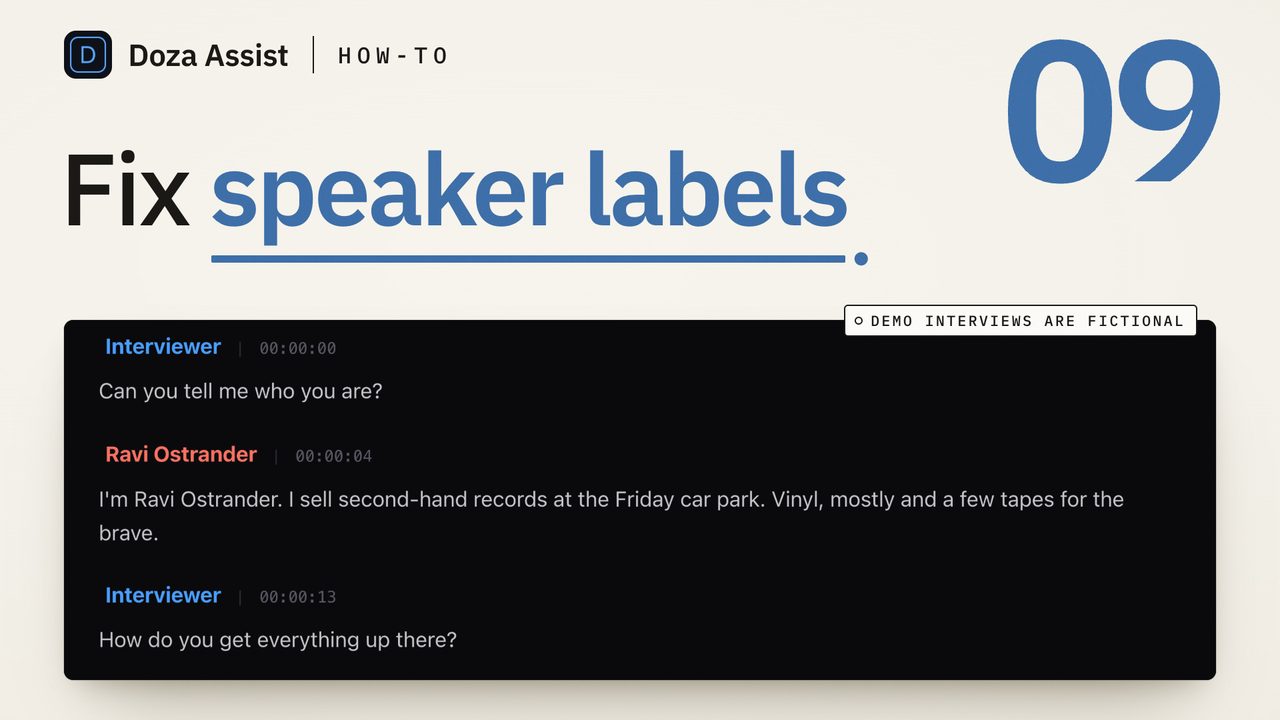
To fix speaker labels in a transcript, do it in three passes: first rename the speakers once, so every "Speaker 2" becomes a name; then merge any one person the software split into two; then walk the places it reliably gets wrong, the crosstalk, the short interjections and the first ten seconds, and reassign those paragraphs. Fix labels in a tool that keeps word timing, so the clips you pull afterwards still land on the right frame.
Where speaker identification goes wrong
The software behind speaker labels is called speaker diarization. It does not know who anyone is. It clusters stretches of audio by voice and gives each cluster a number. That works well on a clean two-person interview with separate mics and badly in a few predictable spots:
- Crosstalk. Two voices at once get assigned to whoever is louder, or to a third speaker that does not exist.
- Short interjections. "Right." "Mm-hm." A one-word back-channel is too short to cluster, so it often inherits the label of the person who was already talking.
- The first few seconds. Clustering needs a sample before it can be confident. The top of the file is where you most often see the wrong name on the first paragraph.
- One person, two clusters. A speaker who moves off mic, laughs, or shifts to a different register can be split into "Speaker 1" and "Speaker 4". This is the most common error on long recordings.
- Similar voices. Two people of similar pitch and pacing on one room mic can be merged into one speaker for a stretch.
Knowing the list means you can check those spots instead of reading the whole transcript twice.
The steps
- Rename every speaker first. Before fixing anything, give each numbered speaker a real name. Do it from one place so the change applies everywhere. If you are not sure who "Speaker 3" is, play the first paragraph with that label; the voice tells you in two seconds.
- Merge speakers that are one person. Scan the speaker list. If you see more names than people in the room, two of them are the same voice. Play a paragraph from each and merge the duplicate into the real name. Most tools do this as a rename: give both the same name and they collapse.
- Walk the top of the file. Read the first minute with the audio playing. Reassign any paragraph that has the wrong name. This is also where the interviewer's first question usually carries the guest's label.
- Search for the short lines. Look for one- or two-word paragraphs. Each one is either a real interjection that belongs to the other speaker, or a fragment that should be joined to the paragraph before it. Reassign or merge; do not delete, because the timing of what follows depends on it.
- Check the crosstalk. Jump to any paragraph where the transcript looks garbled or two thoughts are tangled. Split the paragraph at the point the second voice starts, then assign each half. In a tool with word-level timing, splitting keeps every word on its frame.
- Spot-check the rest, then stop. Play five random paragraphs from the body of the interview. If all five are right, the clustering was good and the remaining errors are in the spots you already walked. If two are wrong, read the whole thing; the recording was hard and the labels need a full pass.
How to record so it breaks less
Separate mics on separate tracks is the single biggest improvement, and most tools can take a multitrack file or a synced multicam clip and use the track separation to help. After that: ask the guest to let the question finish before answering, which reduces crosstalk, and keep the host's back-channel to nods rather than words. None of this is for the software's benefit; it also makes the interview easier to cut.
AI Speaker ID labels every voice when the transcript is made, including crosstalk and noisy panels. Renaming a speaker in the sidebar renames them everywhere; giving two speakers the same name merges them. To fix one paragraph, click its speaker label and pick the right name, or double-click a word to edit the text, and split a paragraph where a second voice starts. Cmd+Z undoes any of it, and media timing never changes, so every clip you pull afterwards still lands on its frame. The ninety-second tutorial above shows the whole pass. There is also a Find Speaker Names button that reads the transcript for the names people call each other and offers them to you.
Common questions
Why does my transcript have more speakers than people?
Clustering split one person into two because their voice changed during the recording: they moved off mic, got louder, laughed, or the room noise changed. Merge the duplicate into the real name. If it happens a lot on one recording, the audio was hard, not the person.
Should I delete misattributed one-word lines?
No. Reassign them or join them to the neighboring paragraph. Deleting text in a transcript that has word timing can leave a gap the next clip pull trips over, and the "Right." usually belongs to someone.
Does fixing a label change the clip timing?
Not in a tool that keeps word-level timecodes. A label is a name on a paragraph; the words underneath keep their frames. Check this before you choose a tool, because some caption-style editors re-time the whole block when you edit it.
Can software tell who is speaking by name?
Not from the voice alone. Diarization gives numbers; names come from you, or from the transcript itself when people address each other. Tools that read the transcript for names can suggest them, which is faster than playing each speaker to identify them.
Doza Assist transcribes every interview locally, finds the strongest moments across all of them, then sends your chosen ranges to Final Cut, Premiere, or Resolve. Your video never leaves your Mac.
Free trial: every feature on your first 2 minutes — no account, no card · 30-day money-back guarantee · Requires a Mac with Apple Silicon (M1 or later)