How to correct a transcript quickly.
A machine transcript needs one short edit pass, not a proofread. Fix the names once, the recurring terms next, the lines you will cut last, and keep every word on its frame.
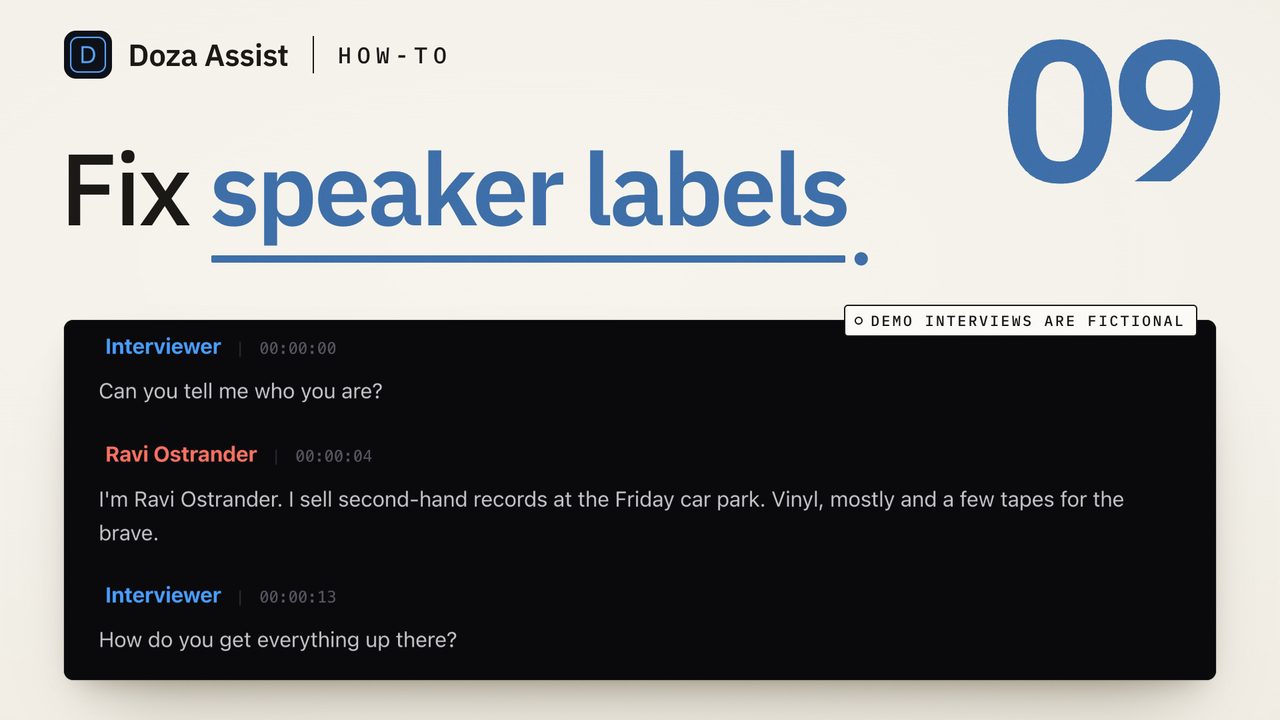
To correct a transcript quickly, stop proofreading it. Fix the speaker names once so the change lands everywhere, then search for the proper nouns and jargon that will be wrong every time they appear, then read in full only the stretches you plan to use. Do the edits in a tool that keeps word-level timing, so correcting a word never moves the clip it belongs to.
Why does a transcript need correcting at all?
Because a transcription engine has never met your subject. It hears "Koestler" and writes "Kessler", turns a product name into two common words that sound like it, and labels voices with numbers. On a clean two-person interview the sentences are mostly right. The errors cluster in predictable places: names, terms, acronyms, the first few seconds before the engine has settled, and anywhere two people talk at once.
That pattern is the whole trick. An editor does not need every word right. You need the names right because they end up on lower thirds and in quote sheets, the terms right because you will search for them, and the lines you cut right because a producer will read them. Everything else can stay as the machine heard it.
What does "quickly" mean here?
It means the edit pass is shorter than the interview. A full read with the audio playing takes as long as the recording plus the stops. The targeted pass below is mostly search, and the reading it asks for is of lines you were going to read anyway when you picked the selects.
It also means you never type a timecode. In a transcript timed on every word, correction tools edit the text and leave the frame alone. Retyping a paragraph in a word processor and pasting it back is the slow way, and the way that loses the timing that makes the transcript an editing tool at all, as the transcript-based editing entry explains.
How do you correct a transcript quickly?
- Rename the speakers first, from one place. Every numbered speaker becomes a name before you touch a word. Play the first paragraph under each label if you are not sure who it is. Rename from the speaker list, not paragraph by paragraph, so one edit changes every label in the file. The speaker labels guide covers the merges and reassignments that follow.
- Write down the words that will be wrong. Before you read anything, list the proper nouns and terms from your notes: the subject's name and the names they will mention, the company, the town, the acronyms, the product. Each is misheard the same way every time, so each is one search, not a hunt.
- Search each term and fix every hit. Type the likeliest wrong spelling into the transcript search and walk the hits. A misheard name usually comes out as the same wrong word all the way through, so once you find the first the rest find themselves. Fix the word in place and leave the sentence around it alone.
- Walk the first minute and the crosstalk with the audio playing. These are the two stretches where the engine is weakest. The top of the file gets the wrong speaker and a garbled first sentence; crosstalk gets two voices in one paragraph. Split the paragraph where the second voice starts, assign each half, and insert any word the engine dropped.
- Read in full only what you will use. Mark your candidate lines first, then read those paragraphs with the audio under them. A line that will carry a lower third or go in a quote sheet gets read word for word. The forty minutes you are not cutting stays as it is, searchable and timed, which is all it needs to be.
- Correct the word, not the sentence. When a word is wrong, change that word. Do not retype the sentence to read better, and do not delete filler, because every word is an anchor to a frame and the clip you pull later lands on those anchors. Rough text that lands every clip on the right frame is the goal.
- Undo freely and check three clips at the end. Any edit you doubt, undo and listen again. When the pass is done, pull three clips from corrected paragraphs, top, middle and end of the file, and play them. If each starts on the word you marked, the timing survived the pass.
When one pass is not enough
Some recordings need a full read: a hard accent for the engine, a room mic on a panel, a technical interview where every third word is a term. The signal is the search step. If the term search turns up a different wrong spelling at every hit, the engine struggled throughout, and the targeted pass will miss as much as it catches.
Then read the whole thing, but still the fast way: audio at normal speed, eyes on the text, stopping only to fix. The names and terms are already done, so the full read is catching sentence-level errors, and most of those can stay in the stretches you will not cut.
How do the editors handle transcript corrections?
Premiere Pro's Speech to Text transcript lives in the Text panel, where you can rename speakers from a label and edit the transcript text in place while it stays attached to the clip's timing. The search box at the top of the panel finds every hit of a term in the transcript you have open. Final Cut Pro 11's Transcribe to Captions produces a caption track, and a caption is corrected in the inspector like any caption; that is caption editing, which keeps the display timing, not a speaker-labeled transcript with a time on each word. DaVinci Resolve Studio's transcription is built for finding and selecting words; check your version for how much of the text itself it lets you change, and free Resolve does not transcribe.
In every case the limit is scope. Each editor corrects one clip's transcript at a time. A misheard company name across eight interviews is eight term passes, which is where a transcript made before the edit saves the most time.
Doza Assist is a local-first AI editing assistant for interviews and dialogue, and its transcript is built to be corrected without breaking anything. Double-click a word to edit it, insert a missed word, split a paragraph where a second voice starts, or reassign the speaker, and Cmd+Z undoes any of it. Media timing never changes, so a corrected name still lands every clip, quote and export on the frame where the word was said. AI Speaker ID labels every voice when the transcript is made, and clicking any word jumps to its frame for the listen-and-check. Nothing uploads, and the free trial runs every feature on the first 2 minutes of each file; the journalists page shows the whole pass.
Common questions
Does correcting a word change the clip timing?
Not in a tool with word-level timing built for editing, where the edit touches only the text. It does change if you retype the transcript in a word processor and reimport it, because the import has to guess where the words fall. Correct in place and the timing stays.
Should I fix filler words and false starts?
Not in an editing transcript. Every word is an anchor to a frame, and deleting a run of "um, I mean" removes anchors around the line you will cut. Leave them in and trim them on the timeline, where the trim is a picture decision. A reading copy for a client can be cleaned up separately.
How accurate does a transcript need to be for editing?
Right in the places that matter: the names, the recurring terms and the lines you cut. A transcript that is otherwise rough still finds every line by search and lands every clip on its frame. Accuracy you do not use is time spent on answers that are not in the film.
What is the fastest way to fix a name that is wrong fifty times?
Search for the wrong spelling and fix the hits one after another. A misheard name usually comes out the same way each time, so one search finds most of them and a second for the next likeliest misspelling finds the rest. Renaming a speaker is different: one edit from the speaker list changes every label at once.
Doza Assist transcribes every interview locally, finds the strongest moments across all of them, then sends your chosen ranges to Final Cut, Premiere, or Resolve. Your video never leaves your Mac.
Free trial: every feature on your first 2 minutes — no account, no card · 30-day money-back guarantee · Requires a Mac with Apple Silicon (M1 or later)