
How to make a paper edit from a transcript.
Write the film before you cut it: the transcript-to-timeline method documentary editors have trusted for decades, minus the scissors and tape.
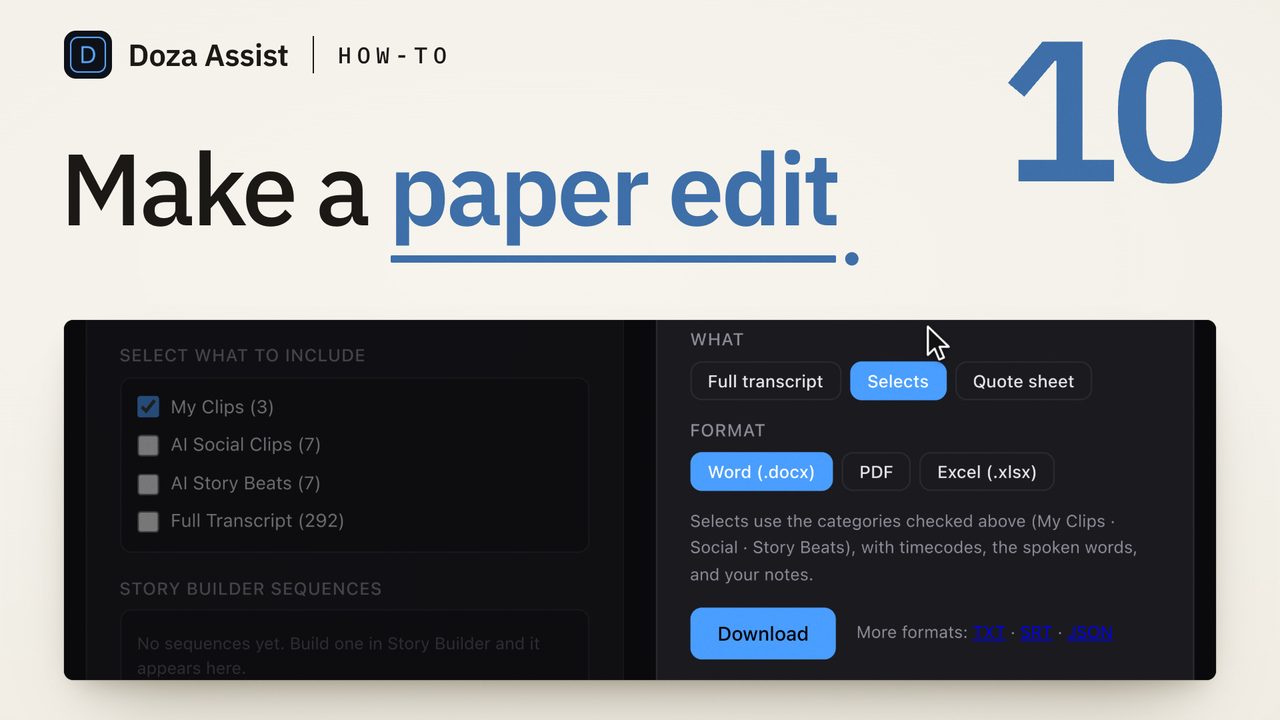
Transcribe every interview with timecodes and speakers, mark the passages worth using, then copy the keepers into a story document and rearrange them until the film reads. Only then open your NLE and lay the chosen ranges in order. New to the concept? Start with what a paper edit is.
Why build the film in text first?
Because rearranging paragraphs is a hundred times faster than rearranging clips. In a document you can try five structures in an afternoon; in a timeline each restructure costs real mechanical work, so editors unconsciously stop experimenting. The paper edit keeps the expensive decisions — what the story is, who carries it, what order it unfolds in — in the cheapest medium. The timeline then gets a script instead of a search party.
It also forces the edit to work for the ear. Interview-driven films live or die on the spoken line, and a paper edit that reads badly will cut badly — a truth its cousin the radio cut tests with audio alone.
The method, step by step
- Transcribe everything — with timecodes and speaker labels. Every usable interview, not just the ones you remember liking. A transcript without timecodes will betray you at conform time; one without speakers dissolves into soup on multi-person shoots.
- Read straight through and mark. First pass, be generous: highlight any passage with heat — a story, a turn of phrase, a contradiction, a confession. Many editors run a color system: one color per character, or hooks / arguments / emotion / facts.
- Pull the marks into a story document. Copy each keeper — with its source, speaker, and timecode — into a fresh doc. This is your pull list, and it's already a crude inventory of the whole project, like a stringout on paper.
- Structure ruthlessly. Rearrange the pulls into acts and sequences. Look for the opening image, the question that pulls the audience through, the turn, the landing. Delete the merely-fine passages; a paper edit that includes everything decides nothing.
- Read it aloud and time it. Spoken interview runs near 150 words per minute, so a 1,500-word paper edit is roughly a ten-minute spine before b-roll and breathing room. If it reads long, cut on paper — it only gets more expensive from here.
- Translate to the timeline. Work down the document, locate each timecode, and lay the ranges in order. What you build is the first assembly — with story order already decided, this pass is mechanical, not creative.
How do you estimate runtime from a transcript?
The working rule: conversational speech runs 140–160 words per minute. Divide your paper edit's word count by 150 for a serviceable estimate of the talking-spine runtime, then expect the assembly to breathe another 20–40% longer once pauses, b-roll beats, and scene air go in. The rule also works in reverse as a marking budget — a 30-minute piece has room for roughly 4,000–4,500 spoken words, which tells you how brutal the structuring pass needs to be before you ever open the NLE.
How do you get from paper to timeline without re-finding everything?
This is the step where paper edits historically leak a day: every chosen paragraph has to be found again in the footage. Three defenses, in ascending order of comfort. Keep source + timecode on every pull so the conform is lookup, not search. Keep the transcript digital and searchable so a half-remembered line is a text search away. Or use a tool where the transcript is the interface — mark ranges in text and export them as a sequence — which removes the conform step entirely.
Doza Assist runs the whole paper-edit pass on your Mac: local transcription with word-level timecodes and speakers labeled, a 5-color highlighter for the marking pass, soundbites and story analysis across every interview, and chat that pulls passages by meaning ("the three strongest lines about the flood"). Your chosen ranges export as a sequence straight to Final Cut Pro, Premiere Pro, or DaVinci Resolve — the paper edit lands as a timeline, no re-finding. Your video never leaves your Mac.
Common questions
Do I need special software for a paper edit?
No — the method predates all of it. A word processor, or literal paper and highlighters, works. What software changes is the two slow ends: getting accurate timecoded transcripts in, and conforming the finished paper edit to a timeline without hunting for every line.
How detailed should the marks be?
Mark whole thoughts, not sentences. A pull that starts mid-idea forces a re-listen at conform time to find the real in-point. When two versions of the same story exist, pull both and let the structuring pass pick — that decision wants both candidates on the page.
What's the difference between a paper edit and a radio cut?
Medium. The paper edit is the story built in text; the radio cut is the same idea tested in audio, eyes closed. Many editors do both: structure on paper, then lay the audio and listen before committing picture.
How long does a paper edit take?
Reading and marking dominates — an experienced editor covers interview transcript at maybe three to four times real time, so a project with ten hours of interviews is a solid two-to-three-day read-and-mark before structuring. That's also the honest case for automating the first pass: transcription, speaker labels, and a shortlist are exactly the parts that don't need your taste.
Doza Assist transcribes locally, finds the strongest passages across every interview, and turns your marked-up transcript into a timeline in your NLE.
Free trial: every feature on your first 2 minutes — no account, no card · 30-day money-back guarantee · Requires a Mac with Apple Silicon (M1 or later)