How to find the best soundbites in Premiere Pro, across one interview or thirty.
Premiere Pro's Text panel finds the line you remember. The best line nobody remembers takes a method: transcribe everything, read for complete thoughts, rank before you cut.
To find the best soundbites in Premiere Pro, transcribe every interview clip with Speech to Text, then work in the Text panel: search by subject, read each hit outward until it is a complete thought, and mark the candidates on the clip before you cut. Premiere Pro finds lines you can name. The best line in thirty interviews is one you cannot name yet, which takes a ranking pass.
Why "best" is a different job from "find"
A sound bite is a complete thought that stands without the question: a clean start, a clean end, and a reason to exist in the cut. Premiere Pro is good at the first half of the job. Type a word into the Text panel and it shows every place anyone said it; a click lands the playhead there. Searching is solved.
Ranking is not. The search box cannot tell you which of the fourteen hits for "flood" is the one where the subject stops reciting and starts remembering. It cannot tell you that the third interview says the same thing as the first, only better, or that nobody in the whole set has said the line your structure needs. Those are editorial judgments, and the native route to them is reading. The method below makes the reading as efficient as Premiere Pro allows, and says where it stops.
How do you find the best soundbites in Premiere Pro?
- Transcribe every interview clip, not the sequence. Select the interview clips in the Project panel, open Window > Text, and transcribe each one from the Transcript tab with the language set and speaker identification on. The transcript lives with the clip, so the search works before you have cut a frame. The route and the language pack are in how to transcribe an interview in Premiere Pro offline.
- Name the speakers and fix the terms that will recur. Rename Speaker 1 and Speaker 2 to real names in each clip, and search the transcript for the proper nouns Speech to Text gets wrong: the town, the company, the surname. Speaker names do not carry from one clip to the next, so this is per clip. Do it anyway. A soundbite you cannot find by the subject's name is a soundbite you will not use.
- Search by subject, then read outward. Open a clip's transcript, type a topic word and step through the hits. For each one, read from the start of the answer, not from the keyword: the bite usually begins a sentence or two before the word you searched for and ends where the subject's voice drops. The search box is a way into the paragraph, never the bite itself.
- Test each candidate with three questions. Is it complete without the question? Does it say something a narrator or a lower third could not say more cheaply? Would the subject stand behind it as a fair summary of what they meant? A line that fails the first is a cut-around; one that fails the third is a problem later. Keep the ones that pass all three.
- Mark candidates on the clip. With the range selected in the transcript, set In and Out on the source and add a clip marker (press M) with the topic in its name and a one-line note. Markers on the master clip travel with it and show in the Markers panel, where you can filter by name. Color the marker by subject if the project has more than three.
- Build a selects sequence, one bite per segment. Insert each marked range into a new sequence, in transcript order for now, with a few seconds of handle each side. This is a selects sequence, and transcribing it gives you one searchable text of every candidate from every interview, the closest the Text panel gets to a cross-interview view.
- Rank by reading the selects transcript aloud. Read the sequence transcript top to bottom and mark duplicates, weaker versions and bites that need a cut inside them. The final test is the ear: play two versions of the same idea back to back and the better one is obvious in a way it never was on the page. Reorder the sequence by strength or by story, trim with Ripple Edit, and you have a first stringout.
Where Premiere Pro's route stops
Three limits show up on anything bigger than a single interview.
The transcript is per clip. Each search is one clip's transcript, and the names you set in one clip start again as numbers in the next. Thirty interviews means thirty searches of the same word. The selects-sequence trick in step six gets you one text to read, but only for the bites you already found.
Nothing ranks. The Text panel returns hits in timeline order, each the same weight. The judgment in step four is yours, line by line, and on a long set of interviews the reading is the whole job. That is where good bites are missed: the one at minute 58 that nobody searched for because nobody knew it was there.
Nothing tells you what is missing. If the cut needs someone to say what happened the morning after, and nobody did, you find out at the assembly. The transcript holds what was said. The gaps are invisible.
None of that makes Premiere Pro the wrong place to cut. It makes the finding pass the wrong job for a timeline tool once the footage is more than one interview.
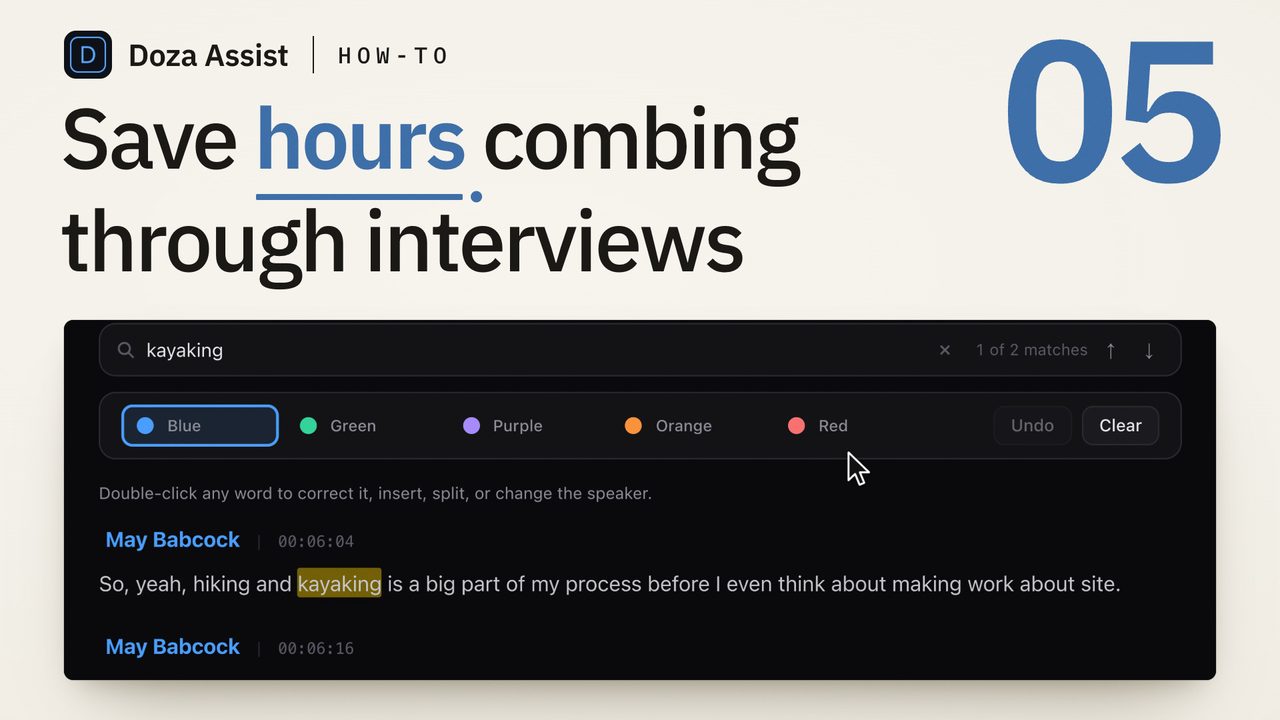
Doza Assist is a local-first AI editing assistant that runs the finding pass before the Premiere Pro sequence exists. Drop in the same camera files; they are transcribed on your Mac with every speaker labeled by AI Speaker ID, and soundbites are ranked across the whole interview, or across every interview in a collection, so the strongest lines are already marked when you open the transcript. Ask the footage a question in plain words and AI Chat answers with playable, timecoded clip cards; Story Brief reads across the interviews, surfaces the narrative beats and flags the gaps. Tag the keepers with the 5-color highlighter, trim each to the word, and with "Edit in" set to Premiere Pro, Export writes an XML of the selects with clip names, markers and your notes, which you bring in with File > Import. Nothing uploads. Step seven still happens in Premiere Pro, on a sequence that already holds the right lines.
Common questions
Can Premiere Pro rank soundbites automatically?
No. Speech to Text produces a searchable transcript, and the Text panel's search returns every hit for a word in order of appearance, all with the same weight. Choosing which hit is the strongest is a reading job. Premiere Pro gives you the text and the playhead; the ranking is yours.
Can I search across all my interviews at once in Premiere Pro?
Not from one box. The Text panel searches the transcript of the clip or sequence you have open. The workaround is to cut your candidate bites into one selects sequence and transcribe that, one searchable text of what you already picked. Lines you never searched for stay in their clips.
How long should a soundbite be?
Long enough to be a complete thought and no longer. A bite starts at the beginning of the sentence, not at the keyword you searched for, and ends where the subject's voice falls. Read outward from the hit, then play it: if it needs the question to make sense, it is not a bite yet.
Should I mark soundbites with markers or with subclips?
Markers, for the finding pass. A clip marker with a name and a note lives on the master clip, shows in the Markers panel and filters by name, and it costs nothing to add forty. Subclips are for the bites that survive the ranking in step seven, when you want them as items in a bin.
What does a transcript-first tool add that the Text panel does not?
One search across every interview in a set, a ranking of soundbites against the rest of the corpus instead of a list of hits, and a read of what the interviews add up to and what is missing. The cut still happens in Premiere Pro; the finding happens before it.
Doza Assist transcribes every interview locally, finds the strongest moments across all of them, then sends your chosen ranges to Final Cut, Premiere, or Resolve. Your video never leaves your Mac.
Free trial: every feature on your first 2 minutes — no account, no card · 30-day money-back guarantee · Requires a Mac with Apple Silicon (M1 or later)