How to transcribe video without uploading it.
Transcription that runs on your own computer never sends the footage anywhere. Which editors do it, how to tell a local tool from a cloud one, and the one test that proves it.
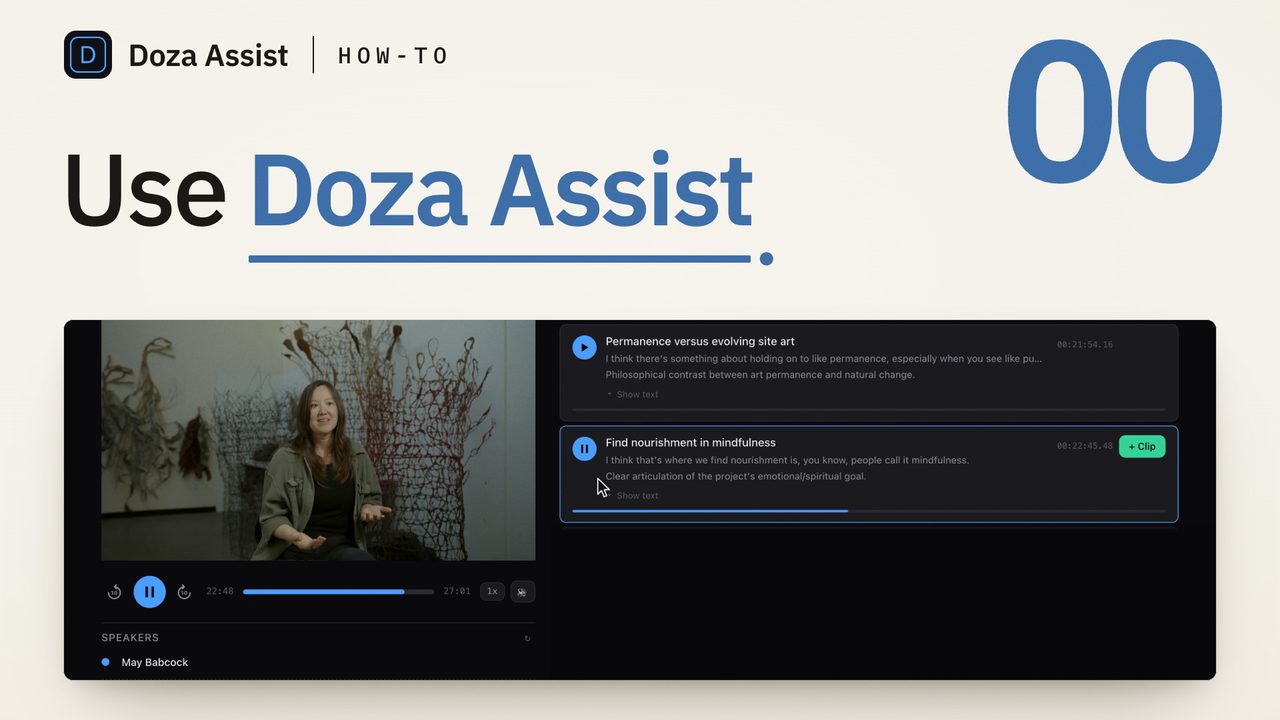
To transcribe video without uploading it, run the speech recognition on your own computer instead of a service's servers. Final Cut Pro 11, Premiere Pro and the paid edition of DaVinci Resolve each do this inside the editor, and a local-first app on the Mac does it with speaker labels and search. The test is simple: turn off Wi-Fi, run the transcription, and see whether it finishes.
What "without uploading" actually means
Most transcription you meet online is a cloud service. You hand over the file, it goes to a server, a queue and a bill by the minute, and a copy of the footage now sits somewhere you do not control. For a lot of work that is fine. For an interview under NDA, a source promised the recording would not leave the building, or testimony, it is not.
"Without uploading" has to cover three things, and tools blur them. The footage must be read from your disk and never sent. The speech model must run on your processor, not on a server behind a button. And the transcript and your notes must stay on your machine too, rather than syncing to an account you did not ask for. A tool can do the first and fail the second, or do both and quietly fail the third.
Offline and private are not the same. Offline means the job runs with no connection at all. Private means nobody else gets a copy. A tool that is truly offline is private by construction, which is why the Wi-Fi test is the one that matters.
Which editors transcribe on the machine?
All three of the big editors can now transcribe locally, with a catch each.
Final Cut Pro 11 and later has Edit > Captions > Transcribe to Captions. It runs on the Mac and writes a caption track on the timeline, timed for reading, not a speaker-labeled transcript you can search in the browser. Check the language list in your version; how to transcribe an interview in Final Cut Pro has the full route.
Premiere Pro's Speech to Text runs on your computer once the language pack is installed, from Settings > Transcription. Getting the pack needs a connection one time; the transcription after that does not. Plenty of editors still assume it uploads, from the years when it did. How to transcribe an interview in Premiere Pro offline walks through the settings.
DaVinci Resolve's built-in transcription is in the paid Studio edition only, and it runs on your machine. Free Resolve has none; the route there is a transcript made on the Mac outside Resolve and brought back in as a timeline, which how to transcribe video in DaVinci Resolve, free edition included covers.
None of the three gives you a transcript of the whole project with every voice labeled and one search across it. That is the gap a local-first app fills.
How do you transcribe video without uploading it?
- Decide what you need back. Captions for a finished cut are one job; a searchable, speaker-labeled transcript of raw interviews and dialogue is another. The editors' built-in commands do the first well. For the second you want a tool whose output is a transcript you can click, correct and search.
- Read what the tool says it does with your file. Look for the words that give a cloud tool away: upload, processing minutes, sign in to continue, cloud sync. A local tool says the opposite in plain words: runs on your Mac, works offline, nothing leaves the machine. If you cannot find either, assume it uploads.
- Get the models while you still have a connection. Local transcription needs a speech model on the disk. Premiere Pro calls it a language pack; other tools download a model once, the first time you ask for a language. Do this in the office, not at the venue on deadline.
- Put the footage on a plain local disk. A folder that syncs to a cloud drive uploads every file dropped into it, whatever the transcription tool does. Copy the camera cards to the Mac's own drive or an external SSD that does not sync, and point the tool there.
- Turn off Wi-Fi and run it. This is the whole test. Switch off Wi-Fi, unplug Ethernet, start the transcription and wait. If it finishes, nothing uploaded. If it stalls or asks you to connect, you have your answer before any footage went anywhere.
- Keep the result on the same disk. Export the transcript, the quote sheet or the timeline to the project folder next to the media. If the tool offers to sync or share, that is a separate decision, made on purpose, with the client's or the source's blessing.
- Check quotes against the frame before anyone else sees them. A local transcript is as fallible as a cloud one. Click the word, play the line, confirm the name before it goes out as a quote.
When the built-in command is not enough
The editors' local transcription earns its keep on a single clip. It runs out on a project: six interviews, two cameras each, and a producer who wants every mention of the budget. Caption tracks do not carry speaker names, and a transcript made clip by clip is not searchable as a whole. The hours of raw footage behind a ten-minute film are also what a cloud service's meter charges for and its upload makes you wait on.
That is where a local transcription pass with speaker diarization pays off: every file in the project transcribed on the Mac, every voice labeled, one search across all of it. Minutes, not hours, and no upload. The people who care most have the most to lose from a copy getting out: journalists protecting a source, corporate teams with an executive saying things that are not public yet, legal reviewers working from testimony.
Doza Assist is a local-first AI editing assistant for interviews and dialogue, built for this test. Drop the camera files in and the transcription runs on your Mac, with NVIDIA Parakeet for English and 17 European languages and Whisper for the rest, about 100 languages auto-detected with word-level timing. AI Speaker ID labels every voice, and the AI analysis runs on the Mac too, with Gemma via Ollama; connecting your own Claude or OpenAI API key is an option that is off by default. The app works fully offline with no account to start, and footage never leaves the Mac. The one feature that sends anything anywhere is Share, in the Studio plan, which you choose per interview and which uploads compressed audio, the transcript and clips, never video. The free trial runs every feature on the first 2 minutes of each file, so you can run the Wi-Fi test yourself; the corporate video page covers the NDA side.
Common questions
Does my editor's built-in transcription upload my footage?
Not in current versions. Final Cut Pro 11's Transcribe to Captions runs on the Mac. Premiere Pro's Speech to Text runs on your computer once the language pack is installed. DaVinci Resolve Studio's transcription runs on your machine too; free Resolve has no built-in transcription at all. Each gives you captions or a per-clip transcript, not a speaker-labeled, searchable transcript of the whole project.
Is "offline" the same as "private"?
Offline is the stronger claim. A tool that finishes a transcription with Wi-Fi switched off cannot have uploaded anything. A tool that calls itself private may still process on a server and promise to delete the copy afterward. If privacy is the requirement, test for offline.
Why does a local transcription tool need the internet the first time?
To fetch the speech model. Running recognition on your machine means the model has to be on your disk, and Premiere Pro's language packs and other tools' one-time downloads are how it gets there. After that the transcription needs no connection. Install what you need before you are on location.
What about a folder that syncs to the cloud?
That is an upload, whatever the transcription tool does. A synced folder sends every file placed in it to the provider's servers. Keep the camera files and the project on a local drive or an external SSD that does not sync, and treat any sync or share step as a separate, deliberate decision.
Doza Assist transcribes every interview locally, finds the strongest moments across all of them, then sends your chosen ranges to Final Cut, Premiere, or Resolve. Your video never leaves your Mac.
Free trial: every feature on your first 2 minutes — no account, no card · 30-day money-back guarantee · Requires a Mac with Apple Silicon (M1 or later)