Text-based editing in Final Cut Pro: what it has, and what it does not.
Final Cut Pro has no text-based editing. Transcribe to Captions and the Timeline Index find a line; nothing cuts from a transcript. The route that gets you one.
Final Cut Pro does not have text-based editing. Since version 11 it has Transcribe to Captions, which writes a caption track for the timeline, and a Timeline Index that searches those captions and jumps to one. That finds a line. It does not let you select words and cut, and no speaker is named. A transcript you cut from is made beside Final Cut Pro and comes back as FCPXML.
Which half of text-based editing does Final Cut Pro have?
Transcript-based editing is cutting by reading. Every word in the transcript knows its frame, so selecting a sentence selects a media range, and that range goes to the timeline as an edit. The transcript is the surface you choose on; the timeline is where the cut is finished.
Final Cut Pro has the text half. Transcribe to Captions, under Edit > Captions in version 11 and later, listens to the open project and writes what it hears into a caption role above the storyline. The Timeline Index lists those captions, searches them, and moves the playhead to the one you click. Captions can be corrected in the Inspector and exported as a caption file. How to transcribe an interview in Final Cut Pro has the clicks, and the language list to check in your version.
It does not have the edit half. There is no transcript panel. A caption is something on the timeline you can read, search and jump to, and from there you set the range yourself, with I and O, by ear. Dragging across words to make a selection, deleting a sentence to drop its footage, reordering paragraphs to reorder the cut: none of that exists in Final Cut Pro, in any version. What it has is a captioning feature that doubles as a finding aid.
How does Final Cut Pro compare with a transcript you cut from?
| Final Cut Pro on its own | A transcript made beside it | |
|---|---|---|
| Where the text lives | A caption track on one project's timeline | A transcript of every clip in the event, before any of it is cut |
| Who is speaking | Nobody is named; one stream of text | A name on every paragraph |
| Timing | Caption-length chunks, timed for reading on screen | A timecode on every word |
| Search | The Timeline Index, in the open project; the hit is a caption | One search across every interview; the hit is the word |
| From text to a cut | Click a caption, the playhead jumps, you set the range by hand | Select the words and the range is set; the selects return as a timeline |
| Marking up | Markers on the timeline; keywords and favorites on the source clip | Highlights, notes and selects on the text; a paper edit before the timeline |
| Text out | Caption files: .itt, .srt, .scc | A document with names and timecodes |
| A new clip arrives | Append it and transcribe the project again; captions stay with that project | Transcribe it once and it joins the search |
When is the native route enough?
For one interview, often. Put the clip in a project, transcribe it to captions, search the Timeline Index for the line you remember, read a caption or two in each direction to find the whole thought, and set the range. Mark the hit with a named marker, or reveal the source clip and give the range a keyword, and you have a select the browser can find again. How to search dialogue in clips in Final Cut Pro turns that into a scratch project that indexes a whole event, and marking selects with keyword ranges is the part of Final Cut Pro that comes closest to a paper edit: ranges on the source clip, gathered in a Keyword Collection, appended to a timeline in one move. A keyword set from a caption hit lives on the clip, not in a copy, and survives into every project in the library.
Why does it stop on an interview project?
Nobody is named. A caption track is one stream of text. In a two-person interview you can tell who is speaking from what is said; on a panel, or with an interviewer off camera, you cannot, and no search in Final Cut Pro can ask for one person's answers.
The text belongs to a project, not to the footage. Captions live on the timeline where they were made. Append the same clip to your real project and it arrives without them, so the project that holds the text stays open as the index, every new clip means transcribing that project again, and a second event needs a second scratch project.
The hit is a caption, and the edit is still by hand. The Timeline Index lands the playhead at the start of a reading-length chunk, not on the word, and selecting text does nothing to the range. Every select is a scrub and two keystrokes. On one interview that is fine. On six interviews, three of them panels, with a producer asking where anyone said the thing about the morning after, it is the whole job, and the job text-based editing was invented to remove.
The route that gives you a transcript you cut from
Keep the project where it is and add the transcript beside it. Export the event or the project as FCPXML with File > Export XML. Transcribe the media the file points at on the same Mac, in a tool that labels speakers and times every word. Read, search and mark in that transcript, where one box covers every interview and a click on a word lands on the frame. Then bring the selects back as an FCPXML timeline into the same library, referencing the same source clips, so nothing in Final Cut Pro is copied or relinked and the cut is finished with the usual tools. What you give up is doing the finding pass inside Final Cut Pro. What you get is the half it does not have: names on the text, a search that reads the whole event, and a selection that becomes the cut.
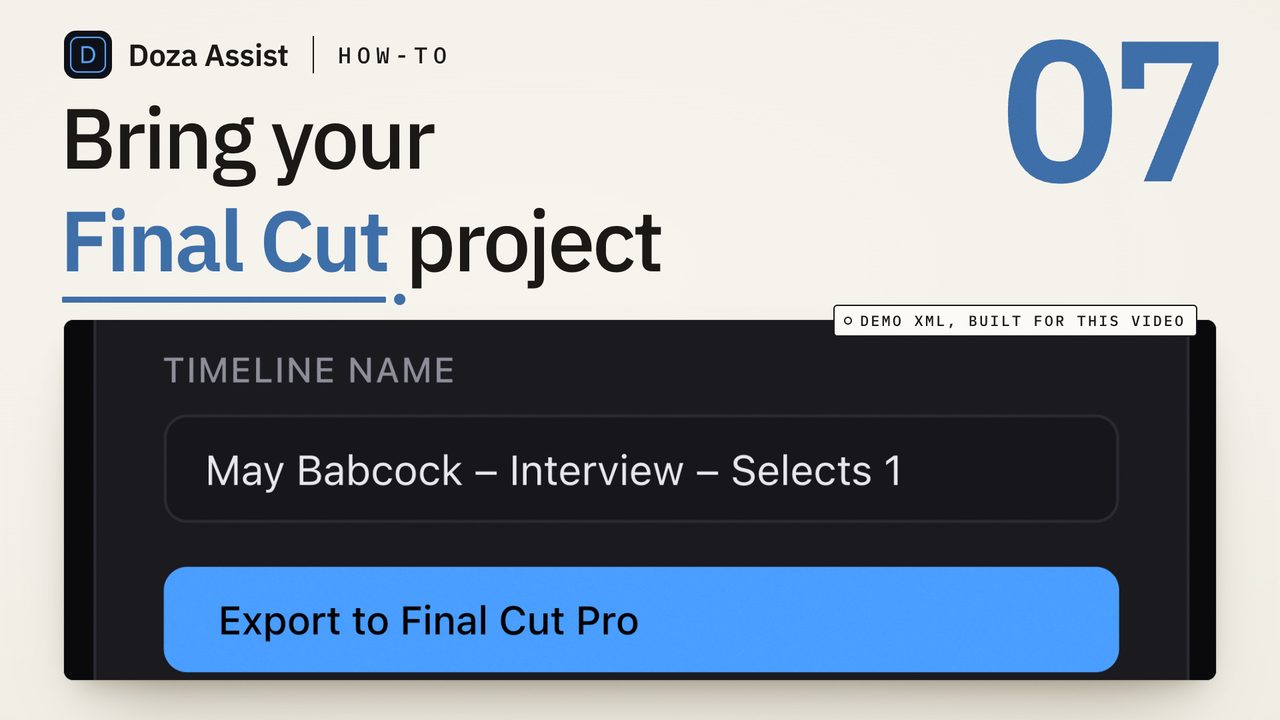
Doza Assist is a local-first AI editing assistant for interviews and dialogue that supplies the edit half for Final Cut Pro. Export the event or project with File > Export XML and drop the .fcpxml or .fcpxmld file into the app; since version 1.2.5 it can also read timelines and clips straight from a Final Cut Pro library, which it reads and never opens or changes. The media is transcribed on your Mac with every voice labeled by AI Speaker ID and a timecode on every word; one search box reads across every interview in the project, a click on a word lands on the frame, and the 5-color highlighter and word-level trim turn a passage into a select. Export sends a pre-cut timeline straight to Final Cut Pro, which opens it automatically, with keyword ranges on the source clips and chapter markers, and a multicam interview comes back as multicam with its angles intact; compound clips are the one thing it will not read, so Break Apart Clip Items first. Nothing uploads, and the Final Cut Pro page shows where it sits beside the built-in tools.
Common questions
Does Final Cut Pro have text-based editing?
No. Final Cut Pro 11 and later can transcribe a timeline into captions and search them in the Timeline Index, which finds a line and moves the playhead to it. It has no transcript panel where selecting words sets the edit, and the captions carry no speaker names. Text-based editing for Final Cut Pro happens in a tool beside it, with the cut coming back as FCPXML.
Can you edit from a transcript in Final Cut Pro?
Not directly. You can read the caption track, search it, click a caption to jump to it, then set the range with I and O and mark it with a keyword or marker. Selecting text does nothing to the range. To cut from a transcript in the usual sense, transcribe the exported FCPXML's media outside Final Cut Pro, mark the selects there, and import the resulting timeline.
Can Final Cut Pro turn its captions into a transcript document?
Only as a caption file. File > Export Captions writes .itt, .srt or .scc, and any text editor opens an .srt, which gives you the words in order with caption timings. It has no speaker names and no word-level timecodes, so it is a readable record of the timeline, not a transcript a producer can mark up by speaker.
Does Final Cut Pro label who is speaking in a transcript?
No. The caption track from Transcribe to Captions is one stream of text, so a panel or an interview with an off-camera interviewer reads as one voice. Speaker labels come from a transcription tool that does speaker identification, and the labeled transcript round-trips through FCPXML so the library is untouched.
Doza Assist transcribes every interview locally, finds the strongest moments across all of them, then sends your chosen ranges to Final Cut, Premiere, or Resolve. Your video never leaves your Mac.
Free trial: every feature on your first 2 minutes — no account, no card · 30-day money-back guarantee · Requires a Mac with Apple Silicon (M1 or later)