How to structure a documentary from interviews.
Interview films are structured in the edit, not the script. Pick the spine, cut it into sequences with one job each, cast a voice for every beat and write the paper edit first.
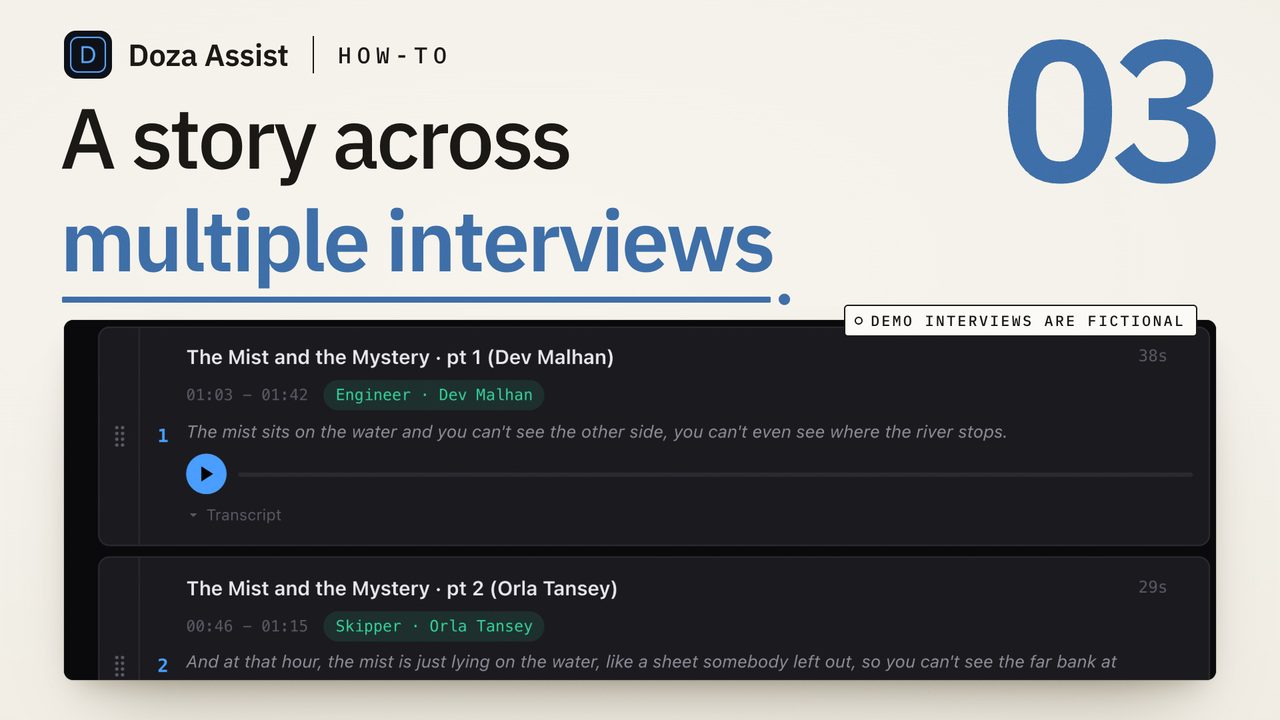
To structure a documentary from interviews, decide what the film is organized by (time, a question, or an event unfolding now), divide that spine into sequences that each do one job, give every beat to the one voice that tells it best, and write the whole thing as a paper edit with a clip and a timecode on every line. Cut from the page, not from the bins.
Why is structure the hard part of an interview film?
A scripted film arrives with its structure. An interview film arrives with forty hours of people answering questions in the order they were asked, and the structure has to be built from what they said. Every subject tells the story from their own position, and nobody says the sentence the film needs at the moment the film needs it.
So the structure is an editorial invention, and the rest of the work hangs on it. Getting it wrong late is a recut. Getting it right early is a paper edit that holds.
This guide assumes the finding is done: the interviews are transcribed, the beats are marked and the through-line is a sentence, as in finding the story in interview footage. Structure is what you do with that page.
What can an interview documentary be organized by?
Three spines carry nearly every interview-driven film, and the first decision is which one yours is on.
Chronology. The events in the order they happened. The default for a life, a case, a disaster. The audience always knows where they are; the weakness is that the strongest material usually comes from the end, and the first act drags while you set up the stakes.
A question. The film is organized around something the audience wants answered, and the sequences are the pieces of the answer, often out of time order. Investigations live here. The risk is a film that explains instead of moving.
A present-tense thread. Something is happening now (a trial, a harvest, a last season) and the interviews reach back from it. The now gives forward motion, the past gives depth, and the cut alternates between them. It depends on having shot the now.
Most films mix these, but one is the spine and the others are departures from it. Pick it before you assign a single line; the same line sits in a different place on each spine.
How do you structure a documentary from interviews?
- Start from the one-page brief, not the selects. The through-line in a sentence, the beats in story order with a clip and a timecode each, the gaps. If you do not have that page, make it first; structuring from a selects document is how a film turns into a long selects reel with music under it.
- Choose the spine and write it as a list of turns. Decide whether the film runs on chronology, a question or a present-tense thread, then write the handful of moments where the story turns, in order: the opening state, the event that sets it moving, the point where it changes direction, the climax, the ending state. Every beat on the brief should fall between two of these turns.
- Divide the spine into sequences with one job each. A sequence is a stretch of the film that does one thing: establishes a person, lands one event, delivers one turn. Name each by its job ("the night of the fire", "why she went back") and list its beats under it. A sequence that does two jobs is two sequences. A beat that fits no sequence is texture, or a cut.
- Cast one voice for every beat. Several people tell the same moment. Read every telling side by side and choose the one that carries it: the person who was there, with the most specific detail, in the fewest words. The other tellings become corroboration, contradiction (often the better scene) or cuts. Notice any voice that ends up carrying nothing; that interview may be the one to leave out.
- Write the paper edit sequence by sequence. Now the lines in full, from the transcript, each with speaker, clip and timecode, In to Out, in the order they will play. Mark where a card or narration bridges what no interview says. The paper edit is the structure made concrete, and the transcript method covers runtime and the conform.
- Read it aloud and move whole sequences. Read the paper edit straight through at speaking pace with a stopwatch running. Structure problems show up as sequences, not lines: the one that explains what the last one showed, the one that lands its turn too early, the two that both introduce the brother. Move or cut sequences first, then trim lines.
- Build the assembly from the page and leave the gaps visible. Lay the sequences into the timeline in order, audio first, picture after. Where the page says "card" or "pickup", leave a slug the length you planned. The assembly that comes out is long, rough and correctly shaped, which is the point: shape is the one thing you cannot fix later by trimming.
When the structure will not hold
Three failures are common. The through-line fits two films and every sequence pulls toward one or the other: pick one and bank the other's beats. Too many voices carry too little each, so the audience never settles on anyone: cut a voice, even a good one, and give its one essential line to a card. Or the ending is not in the footage because the story was still happening when you wrapped: that is a shoot decision, and the paper edit says exactly what the last interview has to deliver.
In each case the fix is on the page, before you touch the timeline. An edit that goes back to the bins looking for a different film finds the same lines it found the first time.
How do the editors hold a structure?
Final Cut Pro, Premiere Pro and DaVinci Resolve all let you keep one timeline per sequence and a master that strings them together, so moving a sequence is a copy and paste, and keyword collections or bins can mirror the sequence list. None of the three reads across the interviews for you: finding the four tellings of one beat is a transcript search per interview, and that cross-interview reading is where the hours go.
Doza Assist is a local-first AI editing assistant for interviews and dialogue, and the multi-interview pass is what Collections are for. Group the interviews for one film into a collection, and AI Chat, Story Brief, Story Builder, Clips and Export work across all of them: ask where anyone describes the fire and you get playable, timecoded clip cards from every interview that does, which is step four in one question. Story Brief surfaces the narrative beats across every interview and flags what is missing, a first draft of the sequence list to argue with. The 5-color highlighter in the Clip Library holds the casting scheme, the paper edit builds from the transcript, and it goes out to Final Cut Pro, Premiere Pro or DaVinci Resolve as a timeline of cuts. Nothing uploads, and the free trial runs every feature on the first 2 minutes of each file; the documentary editors page shows the whole pass.
Common questions
Should I structure before or after I have all the interviews?
Both. Structure after each block of shooting, on the page, so the sequence list and the gap list drive the next block. The final structure waits for the last interview, but a film first structured after wrap has usually missed the pickup it needed.
How many interviews should carry a documentary?
As few as the story allows. A voice earns its place by carrying a beat nobody else can, not by having been interviewed. Many films built on a dozen interviews are carried by three or four voices, the others appearing for one essential line or not at all.
What is the difference between the brief and the paper edit?
The brief is the shape on one page: through-line, beats in order, who carries each, the gaps. The paper edit is the shape made concrete: every line in full, with speaker, clip, timecode and an In and Out, in play order, with a runtime. Structure is the work between the two.
Doza Assist transcribes every interview locally, finds the strongest moments across all of them, then sends your chosen ranges to Final Cut, Premiere, or Resolve. Your video never leaves your Mac.
Free trial: every feature on your first 2 minutes — no account, no card · 30-day money-back guarantee · Requires a Mac with Apple Silicon (M1 or later)