How to transcribe an interview in another language.
Set the language that was spoken, or auto-detect, before you transcribe, and keep the transcript in it. The language of your notes is a separate choice, and quotes stay as spoken.
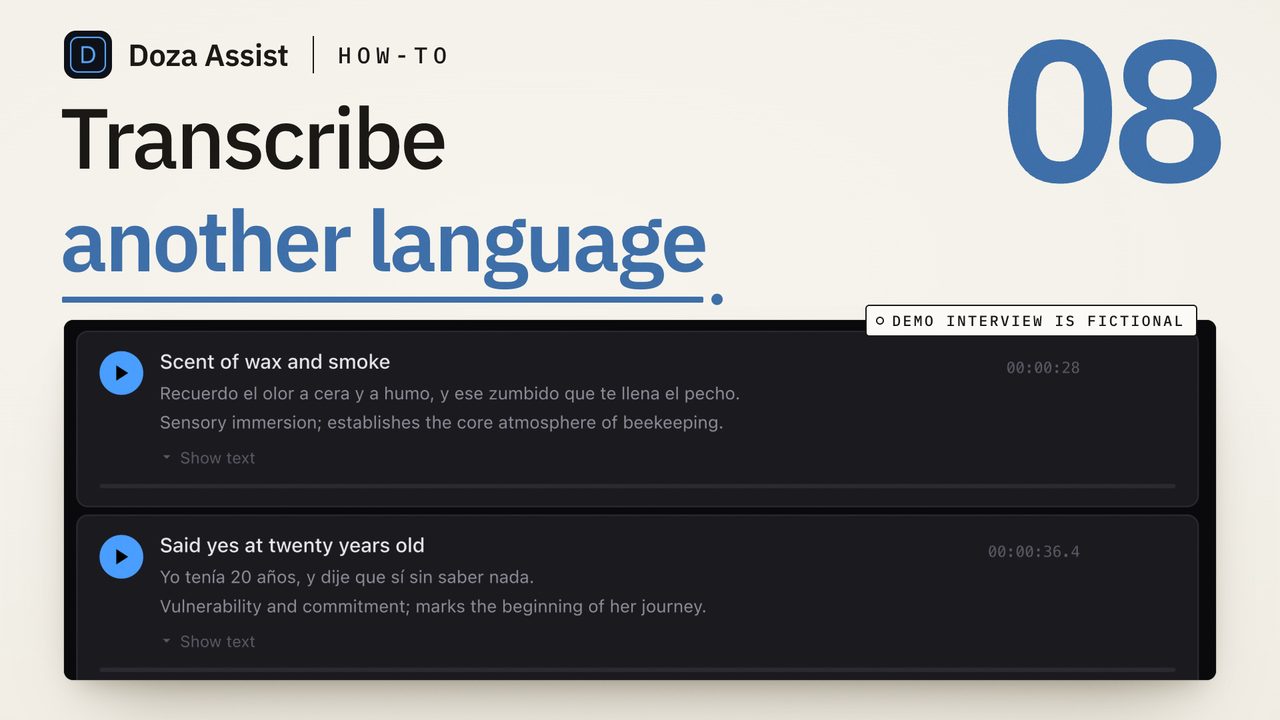
To transcribe an interview in another language, set the transcription language to the one that was spoken, or leave it on auto-detect, before you press transcribe, and check that your tool lists that language at all. Keep the transcript in the spoken language. Choose the language you want your notes and summaries in separately. Nothing gets translated until you decide to translate it.
Three questions hiding in one request
"Another language" covers three separate things, and most of the trouble comes from mixing them up.
The first is the language in: what the subject actually spoke. The engine has to know it, or detect it, and it has to support it. A Portuguese interview run through an English setting comes back as confident nonsense, English words shaped like Portuguese sounds, and no correcting fixes it.
The second is the language out: the language you want to read your notes, summaries and labels in. An English-speaking editor cutting a Norwegian interview wants the transcript in Norwegian, because that is the evidence, and the summary in English, because that is how they will find their way around two hours of it.
The third is translation, a different job from both. A transcript is a record of what was said. A translation is a new text that somebody is responsible for. Keep them apart: the transcript in the spoken language is what you check against the frame and what you quote; a translation sits beside it, marked as one.
How do the editors handle a second language?
Each editor has a route, and each has a limit worth knowing before the shoot.
Final Cut Pro 11 and later transcribes with Edit > Captions > Transcribe to Captions. It produces a caption track timed for reading, not a speaker-labeled transcript you can search in the browser. Check the language list in your version before you plan around it; Apple adds languages in updates. How to transcribe an interview in Final Cut Pro has the full route.
Premiere Pro's Speech to Text runs on the machine once the language pack for that language is installed, from Settings > Transcription. A language that is not in the list cannot be transcribed on the machine at all. Install the pack on a connection before you go on location; how to transcribe an interview in Premiere Pro offline covers the settings.
DaVinci Resolve's built-in transcription is in the paid Studio edition only. Free Resolve has none, and the route there is a transcript made outside Resolve and brought back in as a timeline, which how to transcribe video in DaVinci Resolve, free edition included walks through.
All three share a habit: one language per clip, set before the run.
How do you transcribe an interview in another language?
- Find out the language before you press anything. Ask whoever was in the room, and listen to the first minute yourself. Spanish from Spain and Spanish from Mexico are the same setting; Portuguese and Spanish are not, and a wrong guess costs you the whole run.
- Check the language is on your tool's list. Open the language menu, or the language pack list, and look for it. If it is missing, no setting will get you a transcript on that machine.
- Set the language, or leave auto-detect on. Where the tool offers auto-detect and the interview is in one language, it is the safer choice for a language you cannot read yourself. Where it asks for a language, set the one spoken, not the one you want to read.
- Transcribe with speaker labels on. Speaker identification works from voices, not words, so an interview in a language you cannot read still comes back with each voice labeled. The labels are what let you find the subject's answers and skip past the interpreter.
- Choose the language for your notes separately. If your tool writes summaries or labels, set that language to the one you work in. It is a different setting from the transcription language, and it does not change a word of the transcript.
- Correct names and places first. Proper nouns are where every engine stumbles, in every language, and they are the words you will search for. Fix them once in the transcript before you pull a single quote, and search finds them afterward. On a language you do not know, an hour of a native speaker's reading is the best money in the edit.
- Quote in the spoken language, translate beside it. When a line goes to the cut or the quote sheet, carry the original words and put the translation next to them, marked as yours or the translator's. The original is the only thing you can check against the frame.
Transcript language and output language are two settings
The transcription language describes what came in. It should always be the language in the room, and the transcript should stay in it. The output language describes what you read: summaries, labels, the titles on your selects, the answers when you ask the footage a question. That one should be the language you think in.
They do not have to match. The transcript is evidence, so it stays as spoken. The notes are navigation, so they come in your language. A translated line for a lower third is a third step, done on purpose and credited.
What about an interview that switches languages?
Mixed-language interviews are the hard case for every engine: a subject who answers in Haitian Creole and reaches for English on a technical term, or an interpreter alternating with the subject. Tools set one language per interview, so the passages in the second language are where to expect errors, and where to read against playback rather than trust the text.
Two moves help. If the interpreter and the subject are on separate microphones, speaker labels keep them apart, and the interpreter's paragraphs read as a rough translation of the subject's. If the languages come in long stretches, split the recording at the switch and transcribe each part with its own language setting.
Doza Assist is a local-first AI editing assistant. Drop in the camera files and leave Language on Auto-detect; the interview is transcribed on your Mac in any of about 100 languages, with word-level timing and every voice labeled by AI Speaker ID. English and 17 European languages run on the fast engine, NVIDIA Parakeet; the rest run on Whisper, which takes longer, and nothing uploads either way. Output language is a separate, per-project setting: pick any of 30 languages and the analysis, Story Brief, chat answers and quote sheets come back in it, while every quote stays as spoken. Accuracy varies from one language to the next, so try the free trial on your own footage first; the full lists are on the languages page.
Common questions
Can I transcribe an interview in a language I do not speak?
Yes. Set the transcription language to the one spoken, or use auto-detect, and turn speaker labels on so you can tell the subject from the interpreter without understanding either. Keep every quote in the original language and treat any translation as a separate, credited text.
Should the transcript be in the original language or translated?
The original. A transcript is the record of what was said, and the only version you can check against the picture word for word. Translation is a different job with a different author. Keep the original as your source and put translations beside it, marked as translations, when the cut needs them.
What if the interview is in two languages?
Expect the passages in the second language to carry most of the errors, and read them against playback instead of trusting the text. If the two speakers are on separate microphones, speaker labels keep them apart. If the languages come in long stretches, split the recording at the switch and transcribe each part with its own setting.
Why did my transcript come back as nonsense in the wrong language?
The transcription language did not match the recording. An engine told to expect English forces Portuguese sounds into English words, and the result looks like a transcript but is not one. Set the language to the one spoken, or switch to auto-detect, and run it again. If the language is not on your tool's list, that tool cannot transcribe it.
Doza Assist transcribes every interview locally, finds the strongest moments across all of them, then sends your chosen ranges to Final Cut, Premiere, or Resolve. Your video never leaves your Mac.
Free trial: every feature on your first 2 minutes — no account, no card · 30-day money-back guarantee · Requires a Mac with Apple Silicon (M1 or later)